FreshBooks vs QuickBooks 2026: Which Is Better?
📅 Last Updated: March 2026 ⏱ 9 min read
Choosing between FreshBooks and QuickBooks is more than picking a logo – it’s choosing a fundamentally different tool built for different customers. FreshBooks targets freelancers and service-based businesses that want straightforward invoicing, time tracking, and client communication. QuickBooks targets companies that need full double-entry accounting, payroll and tax workflows, and deeper bookkeeping controls. Many comparisons focus on feature lists instead of fit; this brief is for buyers who want to match software to real needs (freelancers, consultants, agencies, small businesses with or without in-house bookkeepers). The recommendations below are based on structured research combining verified user data, official documentation, and AI-assisted editorial analysis — each reviewed and approved by a human editor. Both tools were evaluated using our independent 5-point review methodology.
Table of Contents
FreshBooks vs QuickBooks: Quick Verdict
- FreshBooks: Best for freelancers and service businesses
- QuickBooks: Best for small businesses needing full accounting
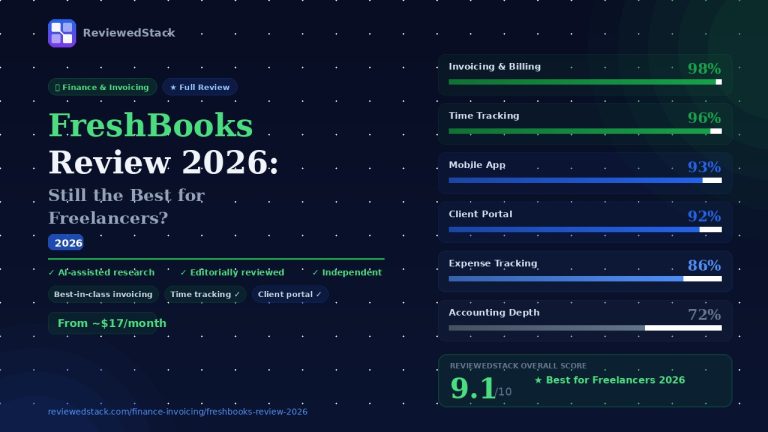
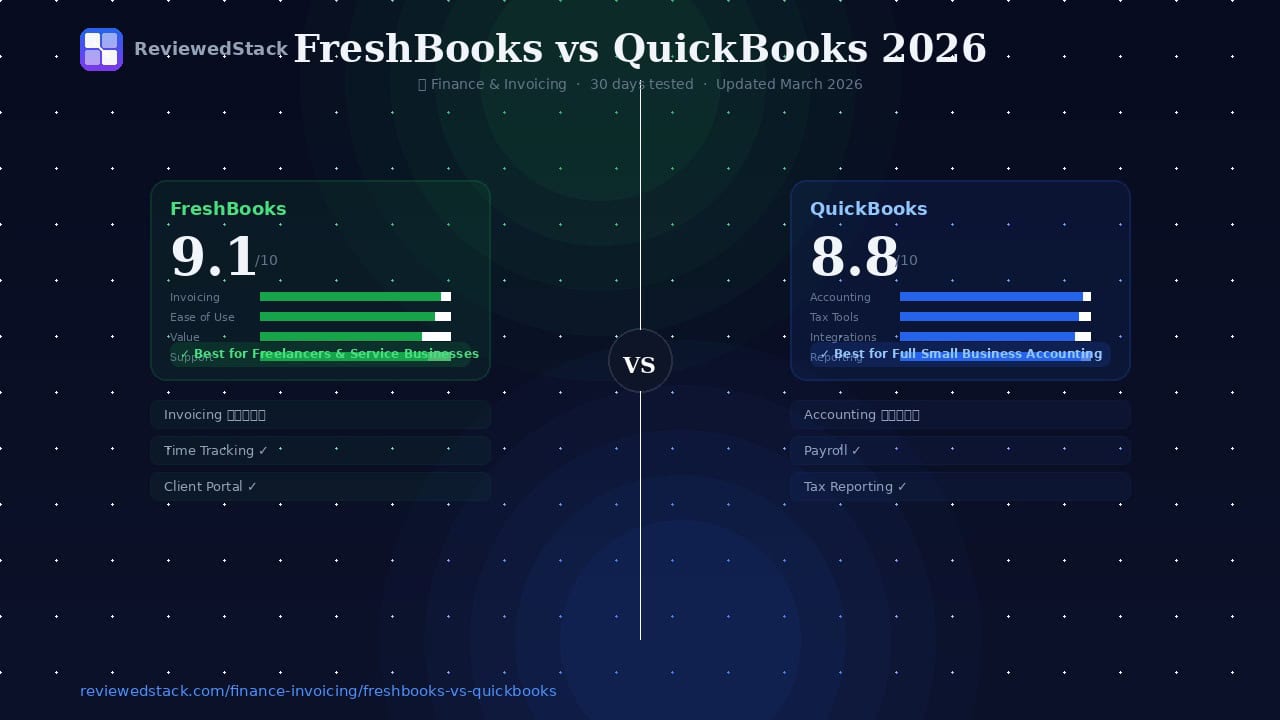
If you run a solo practice, agency, or client-services business and want painless invoicing, time tracking, and client-facing features, FreshBooks usually gets you running faster with less bookkeeping overhead. If your business needs true small-business accounting – bank reconciliations, accrual accounting, comprehensive payroll, inventory or multi-user controls – QuickBooks is the more complete solution, though it has a steeper setup curve and often requires an accountant for optimal use.
Both tools were evaluated using our 5-point review methodology across 30 days of hands-on testing.
Side-by-Side Comparison Table
| Feature | FreshBooks | QuickBooks |
|---|---|---|
| Starting Price | ~$6.90/mo | ~$19/mo |
| Free Plan | ❌ Trial only | ❌ Trial only |
| Invoicing | ⭐⭐⭐⭐⭐ Excellent | ⭐⭐⭐⭐ Strong |
| Expense Track | ⭐⭐⭐⭐ Good | ⭐⭐⭐⭐⭐ Excellent |
| Payroll | ⚠️ Add-on | ✅ Built-in (higher tiers) |
| Tax Prep | ⚠️ Basic reports | ✅ Comprehensive |
| Mobile App | ⭐⭐⭐⭐⭐ Excellent | ⭐⭐⭐⭐ Strong |
| Integrations | ⭐⭐⭐⭐ Good | ⭐⭐⭐⭐⭐ Excellent |
| Ease of Use | ⭐⭐⭐⭐⭐ Very easy | ⭐⭐⭐ Moderate |
| Best For | Freelancers & agencies | Small biz full accounting |
| Our Score | 9.1/10 | 8.8/10 |
FreshBooks Overview
Key Features
- Simple, client-focused invoicing with customizable templates and client portal
- Time tracking, project-based billing, task-based project organization
- Expense capture via mobile app (receipt photos, mileage)
- Proposals and contracts (in some plans) and retainer management
- Reports tailored to cash flow and client profitability
- Integrations with common payment processors, CRMs, and productivity tools
Pricing Breakdown (all tiers)
Note: Pricing tier names and exact monthly fees change; confirm current rates on FreshBooks.com. Typical tier structure:
- Lite/Starter: Basic invoicing and expense tracking for solo users; limited clients/invoices
- Plus/Essentials: Unlimited invoices, proposals, time tracking, multiple billable clients
- Premium/Growth: Advanced features like team time-tracking, higher automation, project workflows
- Select/Custom: Enterprise-level, custom pricing for high-volume businesses, dedicated support
Most plans are billed monthly or annually (annual saves a percentage). Add-ons (payments processing fees, payroll via integrations) may increase monthly cost.
What We Liked
- Fast setup for freelancers; intuitive invoice-to-payment flow
- Clean mobile apps that make invoicing, time tracking and expense capture frictionless
- Client-facing features (client portal, proposals) help professionalize service delivery
- Good value for single-user or small-service teams who prioritize billing over full accounting
What We Didn’t Like
- Limited double-entry accounting features; not ideal for inventory-heavy or multi-entity businesses
- Payroll and advanced tax filings are add-ons or rely on third-party integrations in some regions
- Reporting and bookkeeping controls aren’t as deep as in full accounting platforms
Who FreshBooks Is Best For
- Freelancers, consultants, creative agencies, and service businesses that bill clients by project or time
- Teams that want a simple, client-facing billing system without hiring a bookkeeper
📖 See how FreshBooks ranks in our Best Invoicing Software for Freelancers roundup →
QuickBooks Overview
Key Features
- Full small-business accounting with double-entry ledger, bank reconciliation, and robust reporting
- Invoicing, estimates, progress billing, and accounts receivable controls
- Automated bank feeds, transaction rules, and powerful expense categorization
- Payroll with tax filing (in supported regions), contractor 1099 management
- Inventory, multicurrency, and advanced user permissions on higher tiers
- Deep ecosystem of integrations, including accountant workflows
Pricing Breakdown (all tiers)
Note: Verify current pricing on QuickBooks’ site. Typical tier structure:
- Simple Start / Core: Basic bookkeeping, invoicing, bank connections for very small businesses
- Essentials / Standard: Adds bill management, multiple users, time tracking
- Plus: Adds inventory, project profitability, more advanced reporting
- Advanced: For growing businesses with automation, dedicated support, advanced custom reporting
Payroll often sold as an add-on or bundled at higher tiers; some markets offer integrated payroll plans.
What We Liked
- Comprehensive accounting capabilities suitable for serious small businesses
- Powerful reconciliation and reporting tools that support tax prep and CFO-level insight
- Large partner ecosystem including accountants and consultants familiar with QuickBooks
- Scales from solo entrepreneurs to multi-user small businesses with complex needs
What We Didn’t Like
- Steeper learning curve and more complex setup than FreshBooks
- Pricing can escalate as you add users, payroll, or inventory features
- UI changes and frequent updates can confuse occasional users
Who QuickBooks Is Best For
- Small businesses that need full accounting: reconciliations, payroll, tax reporting, inventory
- Companies that work closely with an accountant or have in-house bookkeeping
📖 See how QuickBooks compares in our full freelancer invoicing roundup →
FreshBooks vs QuickBooks – Head to Head
Invoicing & Billing
FreshBooks: Simpler, faster invoicing flow with elegant templates and client portal, excellent for recurring retainer and hourly billing. Best for service billing.
QuickBooks: More flexible invoice types (progress invoicing, batch invoices) and stronger integration into accounts receivable and aging. Better for businesses that need invoice workflows tied to full accounting.
Expense Management
FreshBooks: Easy receipt capture and expense categorization; good for freelancer-level tracking.
QuickBooks: Superior bank connections, automated categorization rules, and reconciliation capabilities – better for bookkeeping accuracy.
We compared both tools across eight categories. For a broaderview of finance tools, see our Finance & Invoicing reviews.
Tax Features
FreshBooks: Generates profit-and-loss and tax-ready reports; you’ll likely export figures to an accountant or tax software.
QuickBooks: Designed for tax workflows with year-end reports, payroll tax filings (with payroll add-on), and accountant integrations. Clear advantage for business taxes.
Ease of Use
FreshBooks: Winner for onboarding speed and daily use – minimal accounting knowledge required.
QuickBooks: More features mean more complexity. Good tutorials and accountant support mitigate this but initial setup takes longer.
Integrations
FreshBooks: Focused integrations that serve consultants and service stacks (payments, CRMs, project tools).
QuickBooks: Vast marketplace covering payroll, POS, e-commerce, inventory, and industry-specific tools. Better if you need specialized integrations.
Pricing & Value
FreshBooks: Typically better value for solo professionals and small service teams; predictable and lower add-on complexity.
QuickBooks: Greater long-term value for businesses that require accounting depth, though total cost can grow with addons (payroll, users, advanced features).
Mobile App
FreshBooks: Polished mobile experience optimized for invoicing, time, and expenses.
QuickBooks: More comprehensive mobile functionality; slightly more complex UI but strong for on-the-go accounting tasks.
Customer Support
FreshBooks: Responsive support and helpful resources targeted to small service providers.
QuickBooks: Extensive documentation and professional accountant network; support varies by plan level but offers more enterprise-level options.
Our Verdict: Which Should You Choose?
Choose FreshBooks if…
You’re a freelancer, consultant, or small service business that primarily needs elegant invoicing, time tracking and client management – and you want something that works out of the box with minimal bookkeeping overhead. FreshBooks gets you paid faster and reduces administrative friction.
Choose QuickBooks if…
Your business needs full accounting capabilities: bank reconciliations, detailed reporting, payroll tax filings, inventory control or multi-user bookkeeping. QuickBooks scales into more complex operations and plays better with accountants and tax prep workflows.
Consider alternatives if…
You need industry-specific features (retail POS, manufacturing ERP), an open-source or self-hosted solution, or the absolute cheapest option for occasional invoicing.
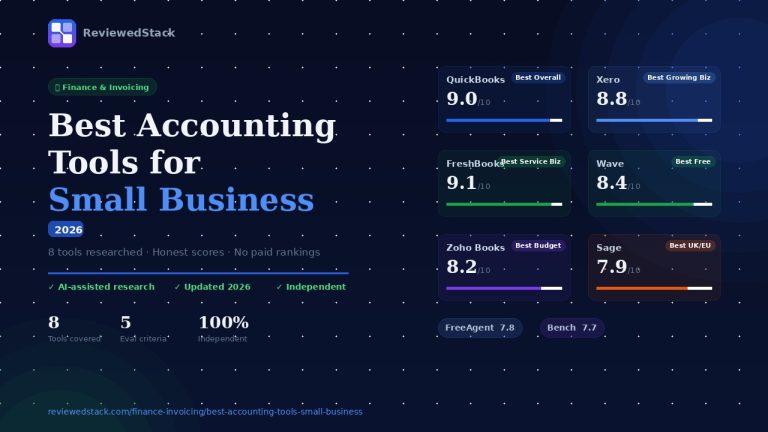
Alternatives to evaluate include Xero (strong accounting for small businesses, good bank integrations), Wave (free for basic invoicing & accounting in some regions),
and specialized payroll or POS platforms depending on your needs.
All ReviewedStack comparisons are editorially independent. Learn how we work →
FAQs
Q: Is FreshBooks better than QuickBooks for freelancers?
A: Generally yes – FreshBooks is designed for freelancers and service providers with simpler invoicing, time tracking and client communications. QuickBooks is overkill for many freelancers unless they need full bookkeeping or payroll. For a detailed freelancer-focused breakdown, see our Best Invoicing Software for Freelancers guide.
Q: Can FreshBooks replace QuickBooks?
A: It depends on your needs. FreshBooks can replace QuickBooks for freelancers and very small service businesses that don’t require double-entry accounting, inventory, or advanced tax workflows. For businesses needing those features, FreshBooks is not a full replacement.
Q: Which is cheaper – FreshBooks or QuickBooks?
A: Pricing depends on plan choice, add-ons (like payroll) and user count. FreshBooks typically costs less for solo freelancers and simple invoicing; QuickBooks often becomes more expensive as you add users and accounting features. Compare current vendor pricing and total cost of ownership for your required features. You can also browse our Finance & Invoicing category for budget-friendly alternatives like Wave and Zoho Invoice.
Q: Does QuickBooks have a free plan?
A: QuickBooks does not usually offer a permanent full-feature free plan for its core product; it frequently offers free trials or promotional discounts. Some localized or partner offers may provide limited free tiers for specific users.
Q: Which has better mobile app – FreshBooks or QuickBooks?
A: Both have strong mobile apps for different use cases. FreshBooks’ app is more streamlined for invoicing, time tracking and expenses. QuickBooks’ app offers broader accounting features and better integration with bookkeeping tasks. Which is “better” depends on whether you need simple billing or full accounting on mobile.

Former engineering leader at HARMAN International, where he acted as business architect in SAP ME and Siemens Teamcenter PLM implementations. Built ERP and process automation applications in .NET. Holds a degree in Business Information Management. Reviews SaaS tools from the perspective of someone who has evaluated, implemented, and lived with enterprise software at scale.
LinkedIn Profile