FreshBooks Review 2026: Is It Still the Best for Freelancers?
📅 Last Updated: March 2026 ⏱ 9 min read
FreshBooks has been the go-to invoicing tool for freelancers for over a decade – but is it still worth it in 2026 when free alternatives have caught up? This review covers FreshBooks’ pricing, core features (invoicing, time tracking, expenses), integrations, mobile experience, and who should – or shouldn’t – use it. Our conclusions are based on official product docs, verified user reviews, and our 5-point review methodology.
Table of Contents
FreshBooks – Quick Verdict
Not recommended for: Businesses needing full double-entry accounting, inventory management, multi-entity reporting, or payroll outside the US.
What Is FreshBooks?
Founded in 2003 and headquartered in Toronto, FreshBooks began as a cloud-based invoicing tool and has steadily expanded into a full freelance/business platform. Over the years it added time tracking, expense capture, proposals, and reporting to become an all-in-one solution for service-based businesses.
FreshBooks is designed primarily for freelancers, consultants, small agencies, and other service businesses that bill by project or time. It is not a full enterprise accounting suite – while it includes accounting reports and a double-entry backbone in parts, it is intentionally focused on billing, client workflows, and usability rather than advanced bookkeeping features found in QuickBooks or Xero.
FreshBooks Pricing 2026
Always verify current pricing on freshbooks.com – tiers and prices change.
| Plan | Monthly | Annual/yr | Promo (4 mo) |
|---|---|---|---|
| Lite | $23/mo | $188.78/yr | $6.90/mo |
| Plus ⭐ | $43/mo | $352.94/yr | $12.90/mo |
| Premium | $70/mo | $574.56/yr | $21.00/mo |
| Select | Custom | Custom | - |
Lite / Starter
- Basic invoicing, expenses, and time tracking
- Limited to ~5 billable clients (plan limits change)
- Price: $23/month (regular monthly rate)
- Annual plan: $188.78/year — includes a 10% discount for paying annually, equivalent to ~$15.73/month.
- Current offer: 70% off for the first 4 months — starting at $6.90/month, then $23/month thereafter.
- Note: Promotional pricing changes frequently — always verify the current offer on freshbooks.com before purchasing.
- Best for: just starting out, single-person freelancers
Plus
- Unlimited clients, proposals, estimates
- Recurring invoices, automated late fees
- Price: $43/month (regular monthly rate)
- Annual plan: $352.94/year — includes a 10% discount for paying annually, equivalent to ~$29.41/month. Save $163.06 vs monthly.
- Current offer: 70% off for the first 4 months — starting at $12.90/month, then $43/month thereafter.
- Note: Promotional pricing changes frequently — always verify the current offer on freshbooks.com before purchasing.
- Best for: active freelancers who bill regularly
Premium
- Advanced features, team collaboration, higher limits
- Price: $70/month (regular monthly rate)
- Annual plan: $574.56/year — includes a 10% discount for paying annually, equivalent to ~$47.88/month. Save $265.44 vs monthly.
- Current offer: 70% off for the first 4 months — starting at $21.00/month, then $70/month thereafter.
- Note: Promotional pricing changes frequently — always verify the current offer on freshbooks.com before purchasing.
- Best for: growing agencies and small teams
Select (Custom)
- Enterprise-level, custom pricing, dedicated support
- Best for: multi-user firms with custom needs
Add-ons
- FreshBooks Payroll (US only)
- Payment processing fees (Stripe/PayPal/Square rates apply)
- Advanced Payments features (may have fees)
Note: Annual billing typically saves ~10%. Free trial available – typically 30 days; confirm current offer on the vendor site.
FreshBooks Features
Invoicing & Billing
- Professional invoice templates with custom branding (logo, colors)
- Recurring invoices, retainers, automated payment reminders, and late fees
- Multi-currency invoicing and a client portal where clients can view/pay invoices and approve estimates
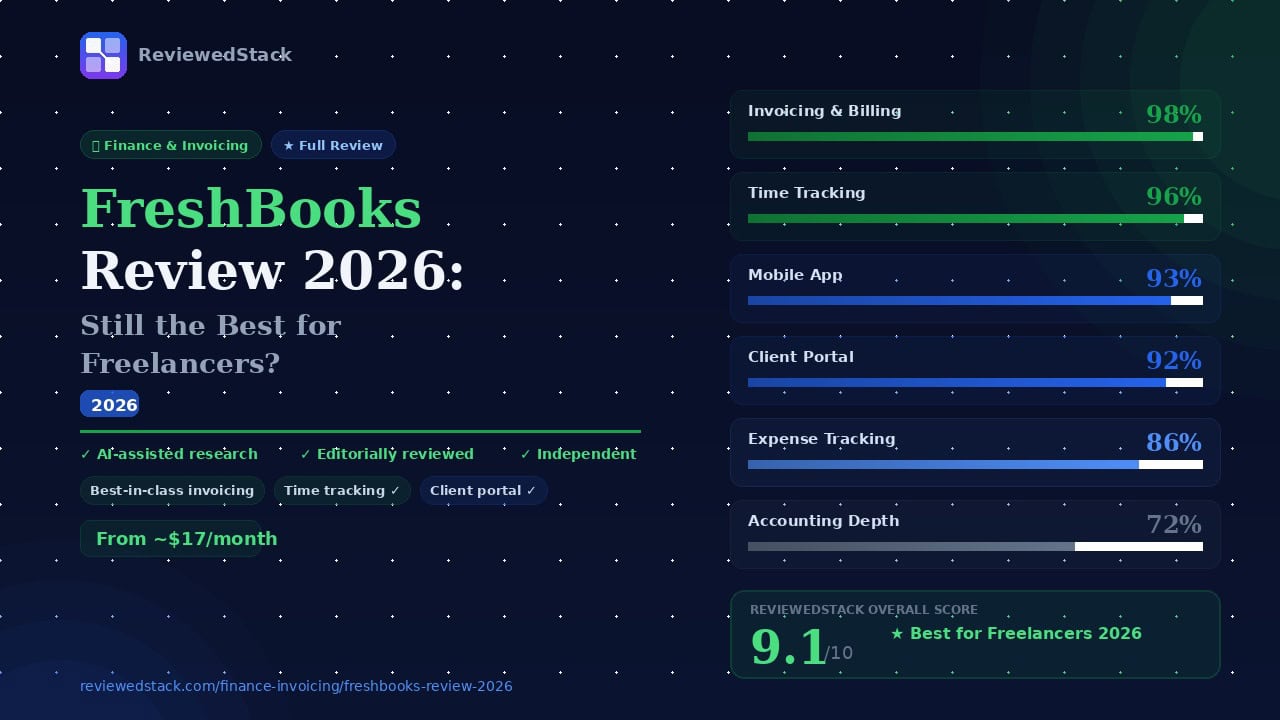
Evaluation: Invoicing is FreshBooks’ standout strength – fast to set up and send, and consistently polished for clients. The client portal and automated payment nudges noticeably reduce time-to-pay compared with basic email invoices. Overall it’s one of the quickest, most professional invoicing experiences available to freelancers.
Time Tracking
- Built-in timer (web and mobile), manual time entry, project-based logging
- Convert tracked time to invoice line items with one click
- Team time tracking available on higher tiers
Evaluation: Time tracking is best-in-class for freelancers who bill by the hour. The timer is reliable across devices, and converting tracked time into billable items is seamless – saving a lot of manual work and billing errors.
Expense Tracking
- Receipt capture via mobile camera, automatic categorization, bank/card connections
- Mileage tracking and ability to attach expenses to clients/projects
Evaluation: Expense capture is solid and fast; the mobile receipt scanner reduces bookkeeping friction. Automatic categorization helps, though power users may still need to tweak categories for tax reporting.
Estimates & Proposals
- Professional estimate templates with client approval workflow
- Convert accepted estimates to invoices in one click
Evaluation: Estimates and proposal workflows are polished and integrated with invoicing. They’re straightforward to use and help maintain a clean pipeline from quote to paid invoice.
Accounting & Reporting
- Profit & Loss, tax summary, expense reports, accounts ageing
- Double-entry accounting foundations exist but are shallower than QuickBooks/Xero
Evaluation: FreshBooks provides the essential reports most freelancers need and a basic double-entry backbone. For complex bookkeeping, multi-entity tax prep, or in-depth reconciliations, you’ll likely need a dedicated accounting package.
Integrations
- Payments: Stripe, PayPal, Square
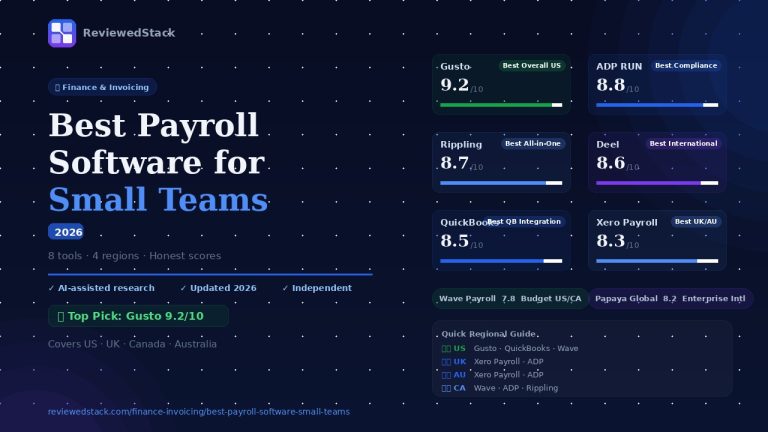
- Payroll: Gusto (US)
- Automation: Zapier
- Collaboration/tools: Slack, Trello, Asana; file integrations with G Suite and Dropbox
- Note: ecosystem smaller than QuickBooks
Evaluation: Integrations cover the most-used tools for freelancers and small teams. The ecosystem isn’t as extensive as QuickBooks’, but the core integrations (payments, payroll in the US, Zapier) cover typical workflows.
Mobile App
- iOS and Android apps support invoicing, time tracking, expense capture, and client management
Evaluation: FreshBooks’ mobile app is one of the best in its category – fast, stable, and feature-rich for on-the-go invoicing and expense capture. It makes it easy to bill and track time away from the desk.
FreshBooks Pros and Cons
Pros
- Best-in-class invoicing UX – fast, polished, client-friendly
- Time tracking that converts directly to invoices in one click
- Client portal improves payment speed and professionalism
- Excellent mobile app for on-the-go invoicing and expense capture
- Strong customer support across plans
Cons
- Client limits on Lite plan restrict early-stage freelancers
- Not a full double-entry accounting system – often needs pairing with Xero/QuickBooks for complex bookkeeping
- Payroll only available in the US
- Can get expensive at higher tiers when scaling a team
How Does FreshBooks Compare?
FreshBooks vs QuickBooks
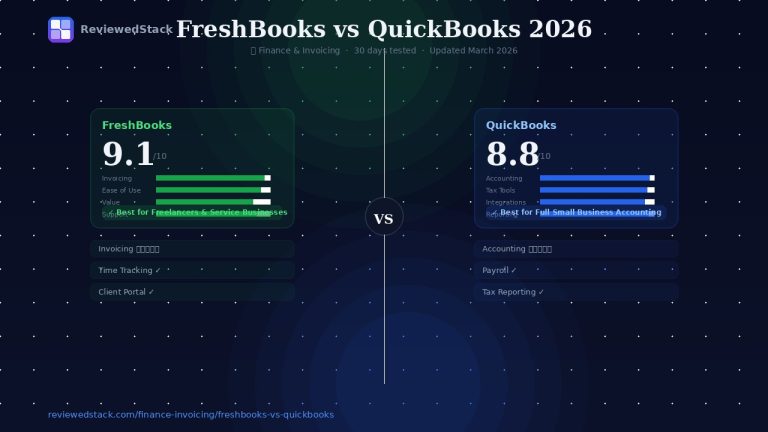
FreshBooks wins on invoicing UX, client portal, and integrated time tracking – making it ideal for freelancers and consultants. QuickBooks wins on depth of accounting features, inventory, payroll breadth, and an extensive app ecosystem. Different tools for different needs – see our full FreshBooks vs QuickBooks comparison.
FreshBooks vs Wave
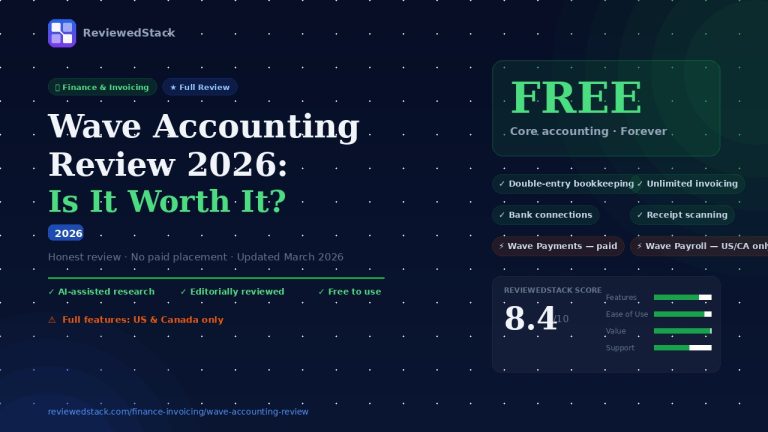
FreshBooks is a paid product but significantly more polished and focused on billing workflows; Wave is free and covers basic accounting and invoicing. If polished time tracking, automated reminders, and a client portal matter, FreshBooks is worth the cost. See our Wave Accounting review.
FreshBooks vs Bonsai
Both target freelancers. Bonsai emphasizes proposals, contracts, and client onboarding; FreshBooks offers stronger time tracking, invoicing, and reporting. Choose based on whether your priority is contract/proposal workflows (Bonsai) or billing/time tracking (FreshBooks).
Who Should Use FreshBooks?
FreshBooks is a great fit if:
- You’re a freelancer or consultant who bills by project or time
- You want polished, professional invoices your clients will respect
- You need time tracking integrated with your billing
- You want a strong mobile app
- You work with multiple clients and need a client portal
FreshBooks is NOT a great fit if:
- You need full double-entry accounting and advanced bookkeeping
- You need inventory management
- You’re on a very tight budget (Wave is free)
- You need payroll outside the US
Our Final Verdict
Score: 9.1/10. FreshBooks remains the best overall invoicing and time-tracking experience for freelancers and small service businesses in 2026. Its UX, client portal, and mobile apps combine to save time and get you paid faster.
It’s best for solo freelancers, consultants, and small agencies that bill by the hour or by project and value a polished client-facing experience. Larger small businesses or firms that need deep accounting, inventory, or complex multi-entity reporting should look to QuickBooks or Xero.
Choose FreshBooks over free alternatives when the time saved from integrated time tracking, automated invoices/reminders, and a client portal outweighs the subscription cost – for many freelancers that return on time is immediate. For more choices, see our Best Invoicing Software for Freelancers guide.
All ReviewedStack comparisons are editorially independent. Learn how we work →
FAQs
Q: Is FreshBooks worth it in 2026?
A: For freelancers who bill by time or project and want fast, professional invoicing and excellent time tracking, yes – it’s worth it. If you only need basic free invoicing, free alternatives exist.
Q: What is FreshBooks best used for?
A: Invoicing, time tracking, expense capture, and client billing workflows for freelancers, consultants, and small service businesses.
Q: Does FreshBooks do accounting?
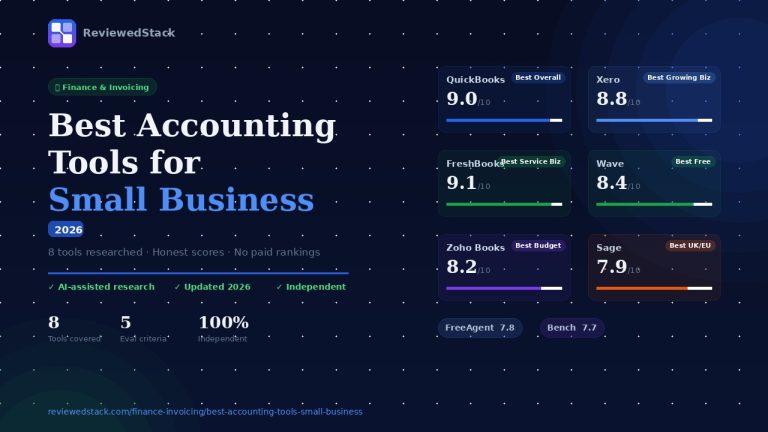
A: It includes core accounting reports and a basic double-entry foundation but is not as comprehensive as QuickBooks or Xero for complex bookkeeping. Recently we made a selection of the Best Accounting Tools for Small Business, read our guide for more information.
Q: How much does FreshBooks cost per month?
A: Pricing changes regularly – always verify current prices on freshbooks.com.
Q: Is FreshBooks better than QuickBooks for freelancers?
A: Often yes for freelancers focused on invoicing and time tracking; QuickBooks is better for deeper accounting needs. Read our FreshBooks vs QuickBooks comparison.
Q: Does FreshBooks have a free plan?
A: FreshBooks typically does not have a permanently free tier; a free trial (commonly 30 days) is usually available. Check the vendor site for current offers.
Q: Can FreshBooks handle payroll?
A: Payroll is available as an add-on in the US (through integrations such as Gusto). Payroll support outside the US is limited; verify current availability by region on the vendor site.

Former engineering leader at HARMAN International, where he acted as business architect in SAP ME and Siemens Teamcenter PLM implementations. Built ERP and process automation applications in .NET. Holds a degree in Business Information Management. Reviews SaaS tools from the perspective of someone who has evaluated, implemented, and lived with enterprise software at scale.
LinkedIn Profile