Mailchimp vs HubSpot 2026: Which Is Better for Small Business?
📅 Last Updated: April 2026 ⏱ 15 min read
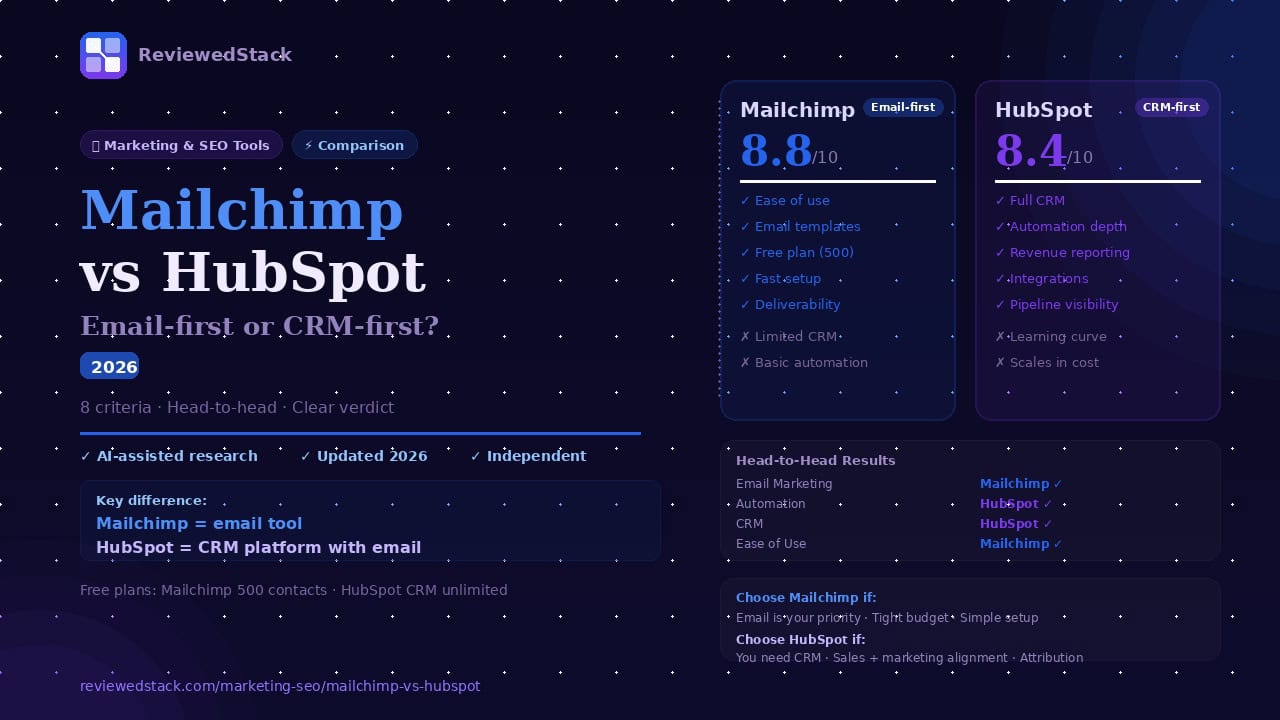
Mailchimp and HubSpot are both widely used – but they solve fundamentally different problems. Mailchimp is an email-first marketing tool focused on fast campaign creation and deliverability; HubSpot is a CRM-centric platform that includes email as one module in a broader sales and marketing stack. Choosing between them depends entirely on whether you need an email marketing-first solution or a full sales-and-marketing system that keeps contact and deal data in one place. This article compares Mailchimp and HubSpot head-to-head across 8 criteria: price, features, automation, CRM, landing pages, reporting, ease of use, and integrations. Methodology: we use a 5-point review methodology.
Table of Contents
Mailchimp vs HubSpot – Quick Verdict
Fundamental difference: Mailchimp is an email tool built for quick campaign creation and simplicity; HubSpot is a CRM platform that connects marketing, sales, and service data. Choose Mailchimp if your priority is email marketing and ease of use; choose HubSpot if you need a single source of truth for contacts, pipelines, and multi-team collaboration.
Side-by-Side Comparison Table
| Feature | Mailchimp | HubSpot |
|---|---|---|
| Starting Price | $13/mo | Free CRM / $20/mo Marketing |
| Free Plan | ✅ 500 contacts | ✅ 2,000 sends/mo |
| Email Marketing | ⭐⭐⭐⭐⭐ | ⭐⭐⭐⭐ |
| Automation | ⭐⭐⭐ | ⭐⭐⭐⭐ |
| CRM / Contacts | ⭐⭐ | ⭐⭐⭐⭐⭐ |
| Landing Pages | ⭐⭐⭐⭐ | ⭐⭐⭐⭐ |
| Reporting | ⭐⭐⭐ | ⭐⭐⭐⭐⭐ |
| Ease of Use | ⭐⭐⭐⭐⭐ | ⭐⭐⭐ |
| Integrations | ⭐⭐⭐⭐ | ⭐⭐⭐⭐⭐ |
| Our Score | 8.8/10 | 8.4/10 |
| Best For | Email marketing | CRM + marketing |
Mailchimp Overview
Key Features
- Drag-and-drop email builder
- Audience segmentation and tagging
- Basic automation workflows
- Landing pages and signup forms
- Social post scheduling and integration
- Reporting and campaign analytics
Pricing Breakdown
Note: verify current pricing on mailchimp.com – tiers change.
- Free: The free tier gives you basic campaign sending, simple templates, signup forms, and limited audience size – enough to test lists, set up a newsletter, and run occasional campaigns. It’s best for solo creators, side projects, or very small orgs that don’t need automation or advanced segmentation. Upgrade when you hit contact or sending limits, or when you need multi-step automations and audience-based send optimizations.
- Essentials/Entry Paid Tier: This tier adds more templates, higher send limits, A/B testing, and email support. It suits small businesses sending regular campaigns who want better performance testing and some support. Upgrade when you need automation tied to behavior or more sophisticated reporting than the free tier provides.
- Standard/Mid Tier: Adds audience segmentation tools, send-time optimization, retargeting ads, and more advanced automations and reporting. Suited to marketing teams that run multi-touch campaigns, retarget across channels, and need behavioral segmentation. Upgrade when you need branching automations, predictive insights, or more advanced delivery controls.
- Premium/Top Tier: Includes multivariate testing, advanced segmentation at scale, phone support, and features for very large audiences and agency use. This makes sense for large lists, agencies managing multiple clients, or teams that need enterprise-level deliverability tools and SLAs. Upgrade when list size and campaign complexity create business risk from outages, poor deliverability, or insufficient analytics.
What We Liked
- Extremely user-friendly email builder and templates: The drag-and-drop editor is intuitive, so non-designers can produce polished, responsive emails in minutes. Prebuilt template blocks and a large theme library cut design time and reduce reliance on developers for routine campaigns.
- Fast campaign setup and solid deliverability tools: Setting up an authenticated sending domain, previewing inbox placement, and scheduling sends are straightforward – you can iterate quickly. Mailchimp also provides basic deliverability checks and recommendations that reduce common mistakes that trigger bounces or spam complaints.
- Generous free tier for very small lists: The free plan lowers the barrier to trying email marketing; you can build lists, collect subscribers, and run a few campaigns without spending. That’s practical for freelancers, hobbyists, or early-stage startups validating demand before committing budget.
- All-in-one marketing features (forms, landing pages, simple ads): Built-in forms, landing pages, and social/ad integrations mean you can run a basic campaign end-to-end without extra tools. For a local shop or small nonprofit, that bundled convenience replaces multiple point solutions and saves setup time.
What We Didn’t Like
- Limited CRM capabilities – audience management is basic: Mailchimp stores contacts and tags, but it lacks relational records, deal stages, and activity timelines, which makes sales workflows awkward or impossible. Teams that need to track opportunities or assign follow-ups will find themselves exporting data or using another tool.
- Automation is functional but not suited for complex, multi-step journeys: Mailchimp handles linear flows like welcome series and simple behavior triggers, but branching logic, multi-path nurturing, and cross-product triggers are limited. If you want lifecycle automation that changes based on deal stage or product usage, you’ll hit constraints.
- Advanced reporting and attribution are limited on lower tiers: Campaign metrics (opens, clicks) are fine, but tying email impact to revenue, lifetime value, or multi-touch attribution requires manual work or higher-tier features. That limits marketers who must justify spend based on closed revenue or detailed channel comparisons.
Who Mailchimp Is Best For
Mailchimp is ideal when email is the primary channel and your operations are simple. Think a boutique retailer running weekly newsletters and occasional promo landing pages, a freelancer collecting leads and sending appointment reminders, or a small nonprofit sending donation appeals and event invites. It’s also a good fit for startups validating demand with a minimum budget and no sales pipeline yet. If your team is one or two people and you want to move fast without a CRM, Mailchimp keeps overhead low. Avoid it when you need integrated sales workflows, complex automation tied to purchases or product usage, or enterprise reporting.
HubSpot Overview
Key Features
- Free CRM with contact and company records
- Email marketing inside Marketing Hub
- Automation workflows and sequences connected to CRM properties
- Landing pages, forms, and pop-ups
- Deal pipelines, tasks, and sales tools
- Detailed dashboards and reporting
- Large integration marketplace and app ecosystem
Pricing Breakdown
Note: verify current pricing on hubspot.com – tiers change frequently.
- Free CRM: The free CRM includes contact and company records, deal pipelines, basic email sending, forms, and limited reporting. It’s a strong starting point to centralize data and run simple outreach without cost. Upgrade when you need automation, advanced marketing tools, or larger team collaboration features.
- Marketing Hub Starter: Adds more email sends, removes branding limits, and includes basic landing pages and chat features. It suits very small marketing teams or startups that want to run campaigns without the free-tier constraints. Upgrade when you need workflow automation, detailed segmentation, or analytics beyond basic metrics.
- Marketing Hub Professional: Adds advanced workflows, A/B testing, SEO and content tools, attribution reporting, and more extensive landing page and campaign features. This tier is aimed at growing teams that need cross-channel automation, lead scoring, and revenue attribution to measure ROI. Upgrade when you want to tie campaigns to pipeline outcomes or scale lead-generation efforts.
- Marketing Hub Enterprise: Includes custom objects, advanced attribution, granular permissions, and large-scale reporting for complex organizations. Suited for mid-market companies with multiple teams, compliance needs, and custom data models. Upgrade when your org requires tailored objects, team partitioning, or sophisticated enterprise analytics.
What We Liked
- True CRM at the centre: HubSpot keeps contact history, company records, deals, and activities in one place, so every team sees the same timeline. Sales can log calls and tasks, marketing can see engagement, and customer service can track issues – that single source of truth reduces context switching and data reconciliation.
- Powerful automation and segmentation tied to CRM data: Workflows can branch on deal stage, custom properties, and behavioral triggers, enabling complex nurture paths and sales handoffs. That lets teams automate multi-step campaigns that respond to real business outcomes – for example, sending different content after a demo is logged or a deal moves stages.
- Best-in-class reporting and revenue attribution (on paid tiers): Paid tiers provide multi-touch attribution, pipeline reporting, and customizable dashboards that connect marketing engagement to closed revenue. That makes it practical to quantify which campaigns produce leads that convert and justify marketing spend with revenue-level metrics.
- Wide integrations and add-on ecosystem: HubSpot’s App Marketplace includes certified connectors and deep two-way syncs with ecommerce, ERP, and productivity tools. Native integrations reduce the need for custom middleware, so you can keep customer records consistent across your stack.
What We Didn’t Like
- Can become expensive quickly as needs and contacts scale: Costs rise with contacts, additional hubs, and advanced features; budget planning requires attention to licensing and contact tiers. Small businesses can start free but face a steep price jump when they need automation, attribution, or large-scale email sends.
- Steeper learning curve due to breadth of tools: The platform covers marketing, sales, and service features, so setup requires planning, property design, and training. Teams should plan onboarding time and possibly external support to implement best practices and avoid misconfigured automations.
- Some advanced features require higher-tier plans: Capabilities like custom objects, advanced attribution, or enterprise permissions are gated behind top tiers, so incremental feature needs can force a large upgrade. That can be frustrating when a single missing capability prevents an otherwise feasible workflow.
Who HubSpot Is Best For
HubSpot is best when you need a connected CRM and marketing stack that grows with your business. Examples: a B2B SaaS company that needs lead capture, demo-booking workflows, and closed-loop reporting to tie trials to revenue; a professional services firm that wants pipelines, task assignments, and automated follow-ups after proposals; or an ecommerce brand that needs centralized customer records, email segmented by purchase behavior, and attribution to marketing campaigns. It’s also useful for multi-person sales teams that require handoffs and visibility into deal stages. Avoid HubSpot if you only want lightweight email sending and want to keep costs minimal – the value appears strongest when CRM and marketing must be tightly integrated.
Mailchimp vs HubSpot – Head to Head
Email Marketing
Mailchimp leads for straightforward email marketing. Its template library, responsive drag-and-drop editor, and straightforward audience workflows let marketers design and send campaigns quickly without steep setup. Mailchimp’s focus on deliverability tools (domain verification, content testing, send-time optimization on higher tiers) makes it strong for pure email programs. HubSpot’s email builder is solid and integrates with CRM data for personalization, but the template ecosystem and one-click send speed feel a step behind Mailchimp’s simplicity. If your daily work is building and sending email campaigns, Mailchimp is faster and more tightly focused. Verdict: Mailchimp wins.
Automation
HubSpot leads on automation. Its workflow builder handles complex, multi-step journeys that use CRM properties, deal stages, custom objects, and cross-product triggers (marketing, sales, service). HubSpot supports branching logic, advanced delays, and deep personalization using CRM fields. Mailchimp provides easy-to-use automations for welcome series, behavior-based triggers, and simple branching, but it’s best for linear or moderately complex flows rather than enterprise-style multi-touch journeys. For sophisticated lifecycle automation tied to sales activity, HubSpot is stronger. Verdict: HubSpot wins.
CRM and Contact Management
HubSpot wins clearly. HubSpot is a full CRM with contact and company records, deal pipelines, activity history, tasks, and custom properties – built to serve sales and service teams in addition to marketers. Mailchimp’s audience management handles tags, segments, and basic behavioral data but lacks deal tracking, activities, and the deeper relational data structures of a CRM. If you need to manage opportunities, assign tasks, or run a sales process, HubSpot is the only choice of the two. Verdict: HubSpot wins.
Landing Pages and Forms
Comparable. Both platforms offer drag-and-drop landing page and form builders that are easy to publish and integrate with email lists. Mailchimp’s landing pages are quick to set up for campaign-driven capture and are easier for non-technical users. HubSpot’s tools are more powerful when connected to CRM data – forms map directly into contact records, and landing pages can trigger workflows and populate deal properties. For standalone lead capture, Mailchimp is simpler; for CRM-connected capture and nurturing, HubSpot has the edge. Verdict: Tie (slight HubSpot edge for CRM-connected use cases).
Reporting and Analytics
HubSpot leads. On paid tiers HubSpot provides revenue attribution, pipeline reporting, cohort and funnel analytics, and custom dashboards that join marketing engagement with sales outcomes. Mailchimp covers campaign-level metrics (opens, clicks, bounces), A/B tests, and basic automation reports, which are fine for judging email performance but don’t connect to revenue by default. If attributing marketing to closed revenue and tracking multi-touch paths matters, HubSpot’s reporting is far more capable. Verdict: HubSpot wins.
Ease of Use
Mailchimp wins. The interface is built around a small set of marketing tasks and guides users through campaign creation in a few steps; onboarding is fast and non-technical teams can be productive quickly. HubSpot’s surface area is larger – CRM, marketing, sales, and service tools – so setup and configuration take longer and require more training to get full value. For single users or small teams needing speed, Mailchimp is friendlier. Verdict: Mailchimp wins.
Integrations
HubSpot wins. HubSpot’s App Marketplace is extensive with many native, certified integrations (Salesforce, Slack, Shopify, Stripe, Google Workspace, and more) and deeper two-way syncs for CRM data. Mailchimp integrates with most major ecommerce, CMS, and ad platforms and has many third-party connectors, but its native ecosystem is smaller and typically email-focused. If you rely on many systems and need robust two-way data flows, HubSpot is stronger. Verdict: HubSpot wins.
Pricing and Value
Depends on use case. Mailchimp is cheaper at entry level for pure email – its free tier and lower paid tiers give strong email value for small lists. HubSpot’s free CRM is genuinely powerful and can be a huge value for businesses that need a central contact system; however, Marketing Hub and advanced features scale in cost quickly as contacts and feature needs grow. If email alone is your priority, Mailchimp usually delivers better raw value. If you need an integrated CRM with sales and reporting, HubSpot’s higher cost can still provide better ROI. Verdict: Depends on use case.
Our Verdict: Which Should You Choose?
Choose Mailchimp if…
- Email marketing is your primary need
- You want a fast, beginner-friendly setup
- Your budget is tight and you want a generous free plan
- You don’t need a CRM or sales pipeline
Choose HubSpot if…
- You need sales and marketing to share contact and deal data
- You want CRM, email, and reporting in one connected platform
- You’re growing a team and need multi-user collaboration
- Revenue attribution and pipeline reporting matter to you
Consider alternatives if…
- You need advanced ecommerce-focused email: Klaviyo or ActiveCampaign
- You need the best budget option for email: MailerLite or Brevo
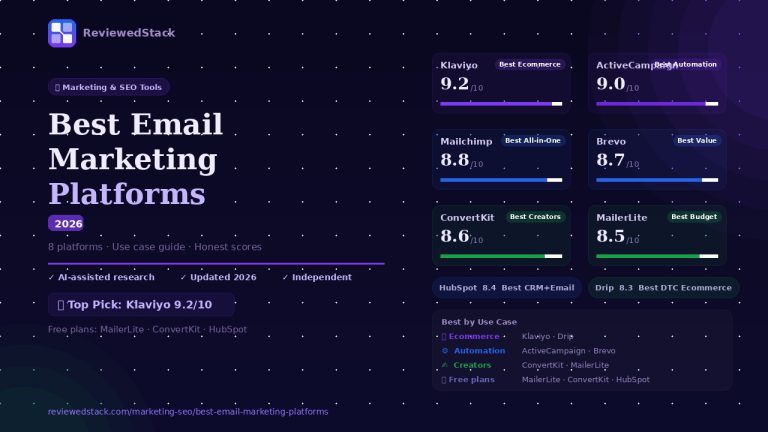
See our Best Email Marketing Platforms guide.
All ReviewedStack comparisons are editorially independent. Learn how we work →
FAQs
Q: Is Mailchimp or HubSpot better for small business?
A: It depends. Mailchimp is better for businesses focused on email marketing and simplicity. HubSpot is better if you need a full CRM and to align sales and marketing.
Q: Is HubSpot free plan worth using?
A: Yes – the free CRM is powerful for contact and deal tracking. It’s a good way to centralize data before committing to paid marketing features.
Q: Can Mailchimp replace a CRM?
A: Not fully. Mailchimp’s audience features handle segmentation and tags but lack deal management, activity history, and pipeline tools that a CRM provides. For automation-first alternatives, see ActiveCampaign in our Best Email Marketing Platforms guide.
Q: Is HubSpot too expensive for small businesses?
A: HubSpot can become expensive as you add contacts and advanced features, but the free CRM still offers strong baseline value. Evaluate based on whether CRM capabilities and reporting justify the cost. For more affordable alternatives, see MailerLite or Brevo in our Best Email Marketing Platforms guide.
Q: Which is easier to use – Mailchimp or HubSpot?
A: Mailchimp is easier to use and faster for one-person teams or beginners. HubSpot has a steeper learning curve because it covers more functions.
Q: Does HubSpot have better email deliverability than Mailchimp?
A: Deliverability depends on many factors (sending IPs, domain authentication, list hygiene). Mailchimp and HubSpot both provide tools to optimize deliverability; Mailchimp’s focus on email gives it an edge in rapid campaign tuning, while HubSpot’s CRM data can improve personalization and engagement.
Q: Can I use both Mailchimp and HubSpot?
A: Yes. Many businesses use HubSpot as a CRM and sync or export data to Mailchimp for advanced email templates or for teams that prefer Mailchimp’s editor. Look for native or third-party connectors to keep lists in sync.

Former engineering leader at HARMAN International, where he acted as business architect in SAP ME and Siemens Teamcenter PLM implementations. Built ERP and process automation applications in .NET. Holds a degree in Business Information Management. Reviews SaaS tools from the perspective of someone who has evaluated, implemented, and lived with enterprise software at scale.
LinkedIn Profile