Best Finance Tools for Freelancers Under $50/Month in 2026
📅 Last Updated: March 2026 ⏱ 8 min read
Most freelancers overpay for finance tools – or cobble together free apps that cost them hours every month. There’s a better way. This guide shows how to build a complete freelance finance stack (invoicing, bookkeeping/accounting, expense tracking, payments, and optional tax prep) for under $50/month total. Our recommendations come from official docs, verified user reviews, and an AI-assisted editorial review – see our 5-point review methodology. Note: this guide focuses on TOTAL stack cost, not just single-app pricing.
Table of Contents
The $50/Month Finance Stack Challenge
A complete freelance finance stack needs to cover invoicing, accounting/bookkeeping, expense tracking, and – optionally – payments and tax prep. We tested combinations to show reliable stacks that handle those needs while staying under $50/month total.
What a Complete Finance Stack Includes
- Invoicing & billing
- Accounting & bookkeeping
- Expense tracking (receipts, mileage)
- Payment processing (client payments)
- Tax preparation (optional: estimates, quarterly filing help)
Quick Comparison Table
| Tool | Category | Price | Free Plan | Score |
|---|---|---|---|---|
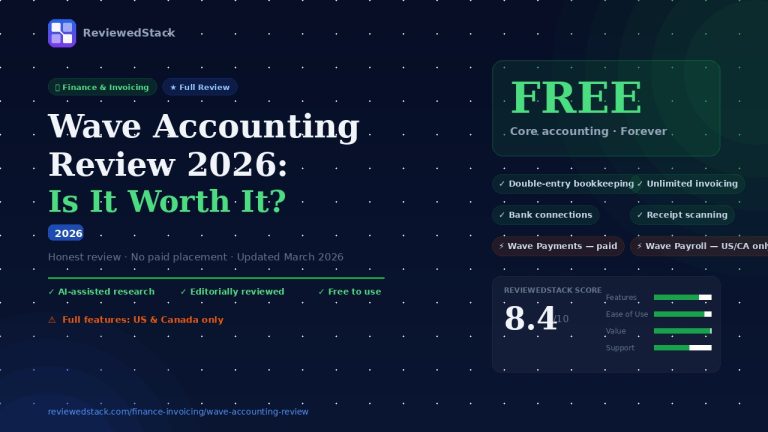
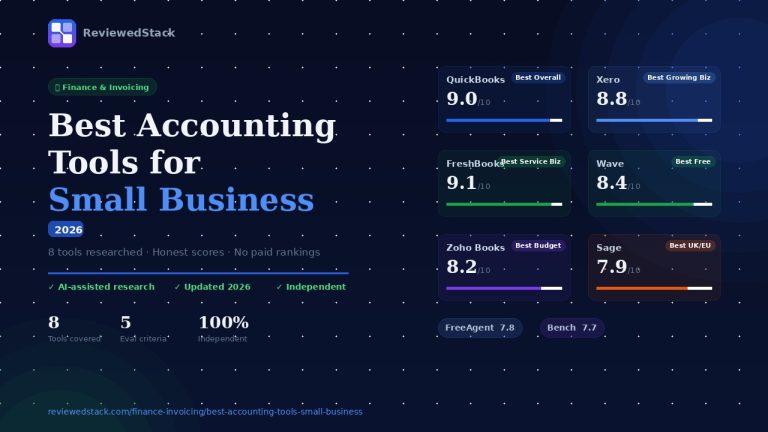
| Wave | Accounting+Invoice | Free | ✅ | 8.4/10 |
| Zoho Invoice | Invoicing | Free | ✅ | 8.0/10 |
| FreshBooks | All-in-one | $17/mo | ❌ | 9.1/10 |
| QuickBooks SE | Accounting+Tax | $33/mo | ❌ | 8.2/10 |
| Zoho Books | Accounting | $15/mo | ✅ | 8.2/10 |
| Bonsai | Freelance suite | $19/mo | ❌ | 7.9/10 |
| Harvest | Time+Invoice | Free* | ✅ | 7.7/10 |
| Stripe | Payments | Free* | ✅ | 7.6/10 |
Note: *Free plan available with transaction fees (payment processing charges apply).
Best Finance Tools Under $50/Month
1. Wave – Best Free All-in-One (Free)
- What it covers: accounting, invoicing, receipt scanning, bank connections
- What you pay for: payments processing, payroll (US/CA only)
- Ideal for: US/CA freelancers who want zero monthly cost
- Limitation: UK/AU feature set is more limited
What it’s like to use: The UI is straightforward and focused on bookkeeping tasks rather than polish – you can get invoices out and reconcile bank accounts quickly. Key strength: genuinely free core accounting with decent automation for routine bookkeeping. Main limitation: support and advanced features (multi-currency, complex reporting, fast support) are limited, so it can feel cramped as your bookkeeping gets more complex.
2. Zoho Invoice – Best Free Invoicing Tool (Free)
- What it covers: invoicing only – not full accounting
- Features: unlimited invoices, client portal, automated reminders, time tracking
- Upgrade path: Zoho Books when you need full accounting
- Ideal for: freelancers who only need invoicing and use separate accounting
What it’s like to use: Clean, efficient invoicing workflow with good customization and automated reminders that actually reduce follow-ups. Key strength: feature-rich invoicing at no cost and a smooth upgrade path into Zoho Books. Main limitation: it’s not an accounting system – you’ll need another app once you need reconciliations, payroll, or consolidated reports.
3. FreshBooks – Best Paid All-in-One (~$17/mo)
- What it covers: invoicing, time tracking, expenses, basic accounting, proposals
- Best value at Lite/Starter tier for solo freelancers
- Why it’s worth $17: saves hours vs free tools, polished UX and client-facing features
What it’s like to use: Polished, fast, and designed around client workflows – invoicing and time tracking are frictionless and client-facing pages look professional. Key strength: UX and client experience that noticeably reduces admin time. Main limitation: accounting depth is limited compared with full double-entry packages; you may need an accountant or separate software for complex bookkeeping.
📖 See our Best Invoicing Software for Freelancers roundup →
4. QuickBooks Self-Employed (~$33/mo)
- What it covers: mileage tracking, expense categorization, quarterly tax estimates, basic invoicing
- Best for: US freelancers who need tax prep + simple invoicing in one app
- Not ideal for: full bookkeeping or complex accounting needs
What it’s like to use: Functional and focused on tax-related workflows – mileage capture and estimated tax calculations are easy to set up and use. Key strength: tax-oriented features tailored for sole proprietors that simplify quarterly planning. Main limitation: it’s isolated from QuickBooks Online’s fuller accounting capabilities, so growth often forces a migration to a different product.
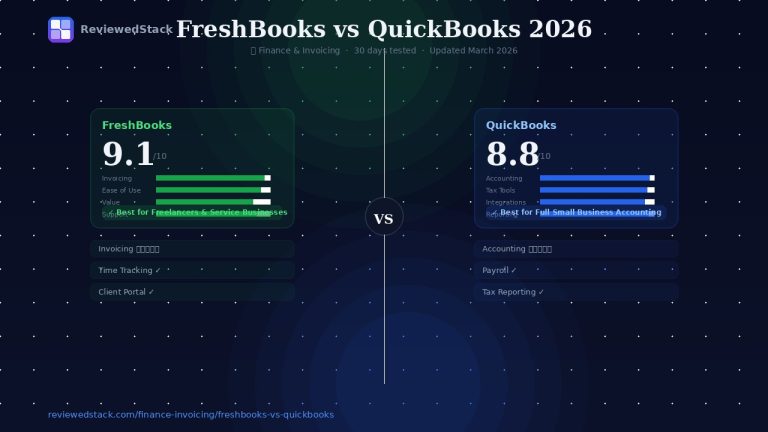
📖 FreshBooks vs QuickBooks comparison →
5. Zoho Books – Best Budget Full Accounting (~$15/mo)
- What it covers: full accounting, invoicing, bank reconciliation, automation, basic inventory
- Free tier available (limited)
- Advantage: integrates across the Zoho ecosystem
What it’s like to use: Powerful for the price with solid automation and reconciliation tools; setup is a bit more hands-on than simpler apps. Key strength: comprehensive accounting features and strong integrations within Zoho at a low monthly cost. Main limitation: the interface can feel more utilitarian and region-specific features (payroll, taxes) may require add-ons or manual work.
6. Bonsai – Best for Proposals + Contracts + Invoicing (~$19/mo)
- What it covers: proposals, contracts, invoicing, time tracking, client CRM
- Best for: creative freelancers who need a full client workflow
- Limitation: not a full accounting system
What it’s like to use: Streamlined and focused on speeding client onboarding – proposal and contract templates save a lot of back-and-forth. Key strength: the end-to-end client workflow (proposal → contract → invoice) is very polished and saves time. Main limitation: it’s not a replacement for accounting or bank reconciliation, so you’ll need to export data or integrate with accounting software for bookkeeping.
7. Harvest – Best Free Time Tracking + Invoicing (Free for 1 user)
- What it covers: time tracking, project billing, basic invoicing
- Free: 1 user with a 2-project limit; paid plans from ~$11/user/mo for unlimited
- Not a full accounting tool
What it’s like to use: Fast, minimal time-tracking app with reliable timers and clear reports – starting/stopping a timer is immediate. Key strength: excellent time-tracking and simple project billing workflows that make hourly invoicing painless. Main limitation: invoicing and accounting features are basic; long-term bookkeeping needs require export or connection to an accounting app.
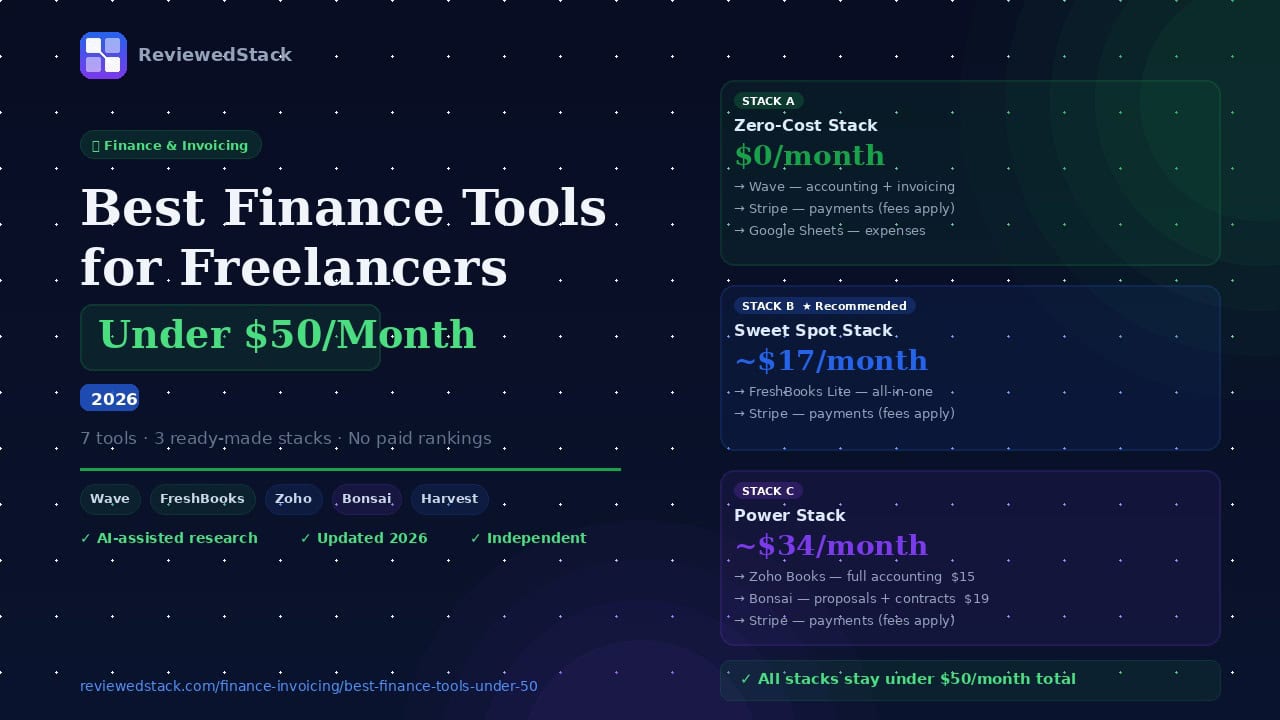
The Best Finance Stacks Under $50/Mo
Below are three concrete stacks tailored to common freelancer profiles.
Stack A – The Zero-Cost Stack ($0/mo)
- Wave (accounting + invoicing) – Free
- Zoho Invoice (backup invoicing) – Free
- Stripe (payments) – Free + fees
- Google Sheets (expense tracking) – Free
Total: $0/month + payment processing fees
Best for: US/CA freelancers just starting out or those with tight budgets
Stack B – The Sweet Spot Stack (~$17/mo)
- FreshBooks Lite (invoicing + time tracking + basic accounting) – $17
- Stripe (payments) – Free + fees
Total: ~$17/month
Best for: Freelancers who want one polished app that handles everything
Stack C – The Power Stack (~$34/mo)
- Zoho Books (full accounting) – $15
- Bonsai (proposals + contracts + invoicing) – $19
Total: ~$36/month
Best for: Freelancers with regular client contracts who need full accounting plus a professional client workflow
What You Don’t Need to Pay For
- Basic invoicing (Wave, Zoho Invoice)
- Receipt scanning (Wave free)
- Bank connections for reconciliation (Wave, Zoho free)
- Payment links / hosted payment pages (Stripe free + fees)
- Basic P&L reporting (Wave free)
When to Spend More Than $50/Month
Spend more when growth justifies it. Signs you’ve outgrown the under-$50 stack:
- Team of 3+ people
- Multiple currencies and cross-border complexity
- Payroll needs
- Complex tax situation or frequent multi-state filings
- Need for advanced reporting and consolidation
If you’re there, see Best Accounting Tools for Small Business.
Our Verdict
Wave is the best zero-cost option: it delivers core accounting, invoicing, bank reconciliation, and receipt capture without a monthly fee – ideal for solo freelancers in the US/CA who want to keep costs at zero and still have reliable bookkeeping.
FreshBooks is the best paid option under $50: at about $17/month the Lite/Starter tiers bundle invoicing, time tracking, expenses, and client features in a polished UX that saves you time – often worth the modest monthly fee.
Stack summary: start with the Zero-Cost Stack if you’re price-sensitive and simple; choose the Sweet Spot Stack (FreshBooks + Stripe) if you value time-savings and a single polished app; pick the Power Stack (Zoho Books + Bonsai) if you need full accounting plus robust proposals/contracts.
All ReviewedStack comparisons are editorially independent. Learn how we work →
FAQs
Q: What is the cheapest accounting software for freelancers?
A: Wave is the cheapest – core accounting and invoicing are free. Zoho Books offers a low-cost paid plan and a limited free tier in some regions.
Q: Can I run my freelance finances entirely for free?
A: Yes – many freelancers use Wave + Stripe (pay-as-you-go processing fees) + free tools like Google Sheets for expenses. You trade some convenience and advanced features for zero monthly cost.
Q: Is Wave better than FreshBooks for freelancers on a budget?
A: For pure cost and core bookkeeping, Wave is better. For time tracking, client-facing polish, and workflow efficiency, FreshBooks (paid) is superior.
Q: What finance tools do most freelancers actually use?
A: Common combos: FreshBooks or QuickBooks SE for invoicing/taxes; Wave for free bookkeeping; Stripe or PayPal for payments; Harvest for time-based billing.
Q: Do I need both invoicing software and accounting software?
A: Not always. All-in-one apps (FreshBooks, Zoho Books) cover both. If you prefer best-of-breed, you can pair a dedicated invoicing app (Zoho Invoice or Bonsai) with accounting (Zoho Books or Wave).
Q: What is the best finance stack for a freelancer under $50/month?
A: For most solo freelancers: FreshBooks Lite + Stripe (~$17/mo) is the easiest and most time-saving. For zero-cost: Wave + Stripe + Google Sheets works well.

Former engineering leader at HARMAN International, where he acted as business architect in SAP ME and Siemens Teamcenter PLM implementations. Built ERP and process automation applications in .NET. Holds a degree in Business Information Management. Reviews SaaS tools from the perspective of someone who has evaluated, implemented, and lived with enterprise software at scale.
LinkedIn Profile