Best Payroll Software for Small Teams in 2026
📅 Last Updated: March 2026 ⏱ 13 min read
Payroll mistakes are expensive – late payments, wrong tax filings, and compliance errors can cost small teams far more than the software itself. The right payroll tool automates calculations, filings, and payments so you don’t have to. This article reviews the 8 best payroll tools for small teams (US, UK, Canada, Australia – regional differences flagged). Our recommendations come from official product docs, verified user reviews, and a 5-point review methodology.
Table of Contents
Quick Comparison Table
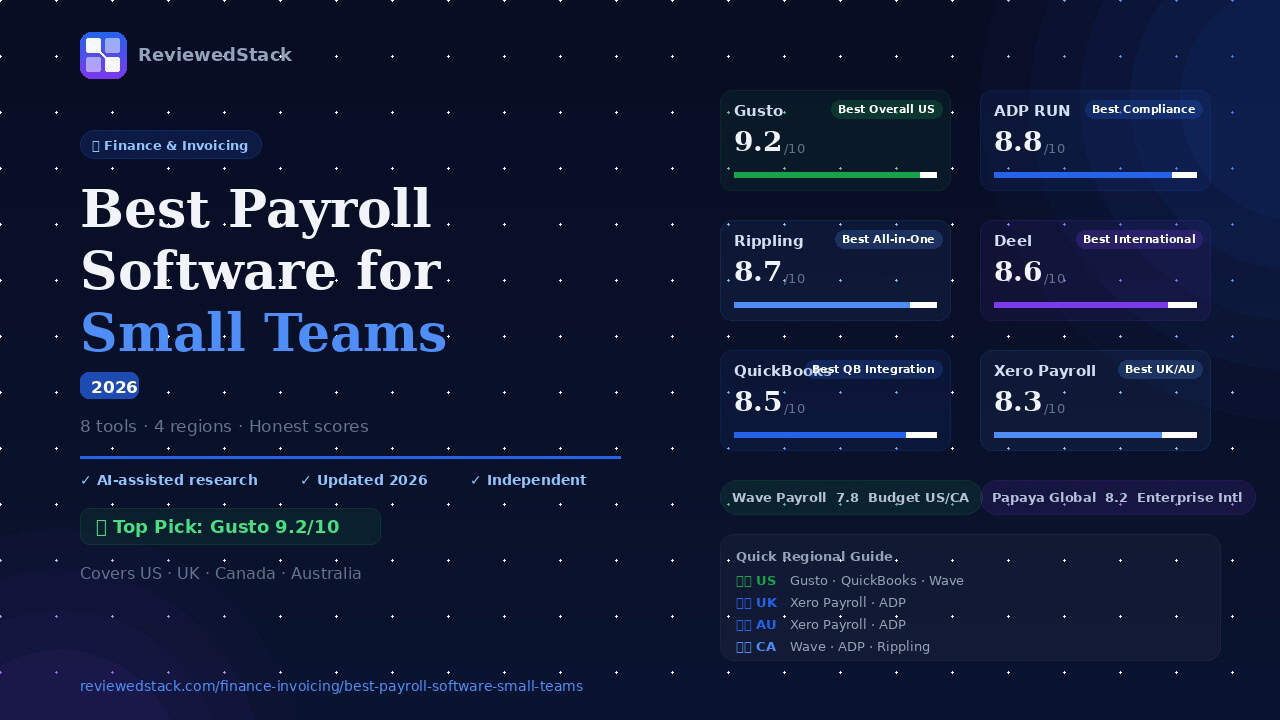
| Tool | Best For | Starting Price | Free Trial | Score |
|---|---|---|---|---|
| Gusto | Best Overall US | $49 + $6/person | ✅ | 9.2/10 |
| ADP RUN | Best for Compliance | Custom | ❌ | 8.8/10 |
| Rippling | Best All-in-One | Custom | ✅ | 8.7/10 |
| QuickBooks | Best QB Integration | $35 + $5.53/employee | ✅ | 8.5/10 |
| Xero Payroll | Best for UK/AU | Third-party Add-on | ✅ | 8.3/10 |
| Wave Payroll | Best Budget US/CA | $40 + $6/employee | ❌ | 7.8/10 |
| Deel | Best for Remote/Intl | $29/employee | ✅ | 8.6/10 |
| Papaya Global | Best Enterprise Intl | Custom ($29/employee) | ✅ | 8.2/10 |
*Pricing varies by region and employee count. Always verify on vendor site.
The Best Payroll Software for Small Teams
Gusto – Best Overall for US Small Teams
What it is
A full-service, US-focused payroll platform that combines payroll, tax filing, and benefits administration for small businesses.
Key features
- Full-service payroll with automatic tax calculations and filings
- Benefits administration (health, dental, 401(k))
- Contractor payments and 1099 management
- Employee self-service portal and onboarding
- Time tracking integrations
Pricing
Base + per-employee fee (see vendor site for current regional pricing and plans).
Pros
- Very beginner-friendly setup and UI
- Strong benefits and HR-adjacent features for small teams
- Reliable automated tax filing for most US states
Cons
- Primarily US-focused (limited/no UK availability)
- Add-ons (time tracking, advanced HR) can increase cost
Evaluation
Gusto is easy to set up and guides admins through payroll and tax registration, which is why many small teams adopt it quickly. Payroll runs are fast and the tax filing automation reduces manual steps. Benefits and employee self-service are well integrated, making it a solid one-stop for US teams under ~50 employees.
ADP RUN – Best for Compliance and Growing Teams
What it is
ADP RUN is ADP’s small-business payroll product, built on enterprise-grade payroll and compliance expertise.
Key features
- Automated payroll and tax filing with deep compliance controls
- Detailed reporting and analytics
- HR and benefits integrations
- Multi-state payroll support
Pricing
Custom pricing; tends to be higher than niche small-business alternatives.
Pros
- Strong compliance features and state tax support
- Scales well as you grow beyond small-team complexity
- Robust reporting for audits and finance
Cons
- More complex setup – best for teams 20+ or with complex state rules
- No straightforward free trial for most plans
Evaluation
ADP RUN is a good fit when compliance and reporting matter more than ease-of-use. It’s less slick than some newer entrants, but its payroll accuracy and state/federal filing support are excellent for businesses approaching mid-size.
Rippling – Best All-in-One HR + Payroll Platform
What it is
A modern, modular platform that combines payroll with HR, IT (device/app management), and workforce automation.
Key features
- Payroll with tax filing and benefits admin
- HRIS, onboarding, and time tracking
- IT management (device provisioning, app access)
- Large marketplace of integrations
Pricing
Custom per-user pricing (starts around $8/user for core payroll – additional modules cost extra). You have to make contact to aquire for custom pricing.
Pros
- Highly modular – add only what you need
- Strong automation across HR and IT workflows
- Good for tech-forward teams that want a single platform
Cons
- Can get expensive with multiple modules
- Setup and configuration can be more involved
Evaluation
Rippling stands out when you want payroll tightly integrated with HR and IT workflows (for example, auto-provisioning accounts when someone is onboarded). It’s powerful for small teams that prioritise automation and are comfortable with a slightly more technical setup.
QuickBooks Payroll – Best for QuickBooks Users
What it is
QuickBooks Payroll tightly integrates payroll with QuickBooks accounting for smooth bookkeeping.
Key features
- Payroll runs with tax filing and direct deposit
- Seamless sync to QuickBooks Online
- Contractor payments and year-end forms
- Time tracking add-ons
Pricing
Base + per-employee fee (see vendor site).
Pros
- Best-in-class integration with QuickBooks accounting
- Easy reconciliation and payroll journals
- Familiar interface for QuickBooks users
Cons
- Limited value if you don’t use QuickBooks accounting
- Some advanced HR features require add-ons
Evaluation
QuickBooks Payroll is straightforward for teams already on QuickBooks. Payroll data flows into accounting automatically, which saves reconciliation time. If you’re not using QuickBooks, other payroll-first platforms may offer more value.
Deel – Best for Remote and International Teams
What it is
Deel specializes in global hiring, payroll, and contractor management across many countries.
Key features
- Global payroll for contractors and employees in 150+ countries
- Local compliance, contracts, and tax handling
- Contractor self-service and invoicing
- Global benefits and payments in multiple currencies
Pricing
Per-user or per-payroll fee (starting around $29/user for some offerings).
Pros
- Built for remote-first teams and international hiring
- Handles local compliance and payroll for many jurisdictions
- Easy contractor onboarding and payments
Cons
- Cost can be higher than single-country payroll tools
- Employer of Record (EOR) services add complexity/cost
Evaluation
Deel simplifies hiring and paying remote talent across many jurisdictions, making it ideal for startups and small companies expanding internationally. It removes much of the headaches of compliance and local payroll setups, though at a premium compared to domestic-only tools.
Xero Payroll – Best for UK and Australian Teams
What it is
Xero Payroll is the payroll add-on within Xero’s accounting ecosystem, focused on UK and Australian payroll needs.
Key features
- Payroll add-on with PAYE support (UK) and STP (Australia)
- Auto-enrolment (UK) and superannuation management (AU)
- Seamless sync with Xero accounting
- Employee payslips and self-service
Pricing
Offered as an add-on to Xero accounting, you have to choose a third-party application.
Pros
- Great if you already use Xero accounting
- Built-in regional compliance for UK and AU workflows
- Easy bookkeeping sync
Cons
- Less feature-rich standalone payroll than specialist vendors
- Best value only if you use Xero accounting
Evaluation
Xero Payroll is a natural choice for UK and Australian small teams already on Xero. It covers key local compliance (PAYE, auto-enrolment, STP) and keeps payroll accounting tidy. For businesses not on Xero, dedicated payroll platforms may offer more features.
Wave Payroll – Best Budget Option for US/Canada
What it is
Wave offers affordable payroll as an add-on to Wave Accounting, aimed at very small businesses and freelancers.
Key features
- Full-service payroll (US) and contractor payroll (Canada)
- Direct deposit and tax filing (US full-service)
- Simple interface with Wave accounting
Pricing
Low base + per-employee fees (e.g., $40 + $6/user in some regions).
Pros
- Very affordable for budget-conscious teams
- Tight integration with Wave accounting
- Simple UI for basic payroll needs
Cons
- US and Canada only – not available UK/AU
- Fewer advanced HR and benefits features
Evaluation
Wave Payroll is a strong budget option for US and Canadian small teams, especially those already on Wave Accounting. It covers essential payroll functions affordably but lacks advanced HR features and international coverage.
📖 Read our full Wave Accounting review →
Papaya Global – Best for Enterprise International Payroll
What it is
Papaya Global is an international payroll platform focused on compliant payroll across many countries, geared toward larger and growing organizations.
Key features
- Global payroll and EOR services
- Local compliance, reporting, and tax filing across jurisdictions
- Centralized payroll dashboard and analytics
- Integrations with HR and accounting systems
Pricing
Custom pricing; typically targeted to organisations with cross-border payroll needs.
Pros
- Strong international compliance and multi-country support
- Centralised control for global payroll teams
- Scales well for multi-country complexity
Cons
- Best value typically for organisations with 50+ employees
- Custom pricing and implementation timelines
Evaluation
Papaya Global is built for organisations that must run compliant payroll across many countries. For small businesses rapidly expanding internationally, it’s a reliable option – but smaller domestic-only teams will find it more than they need.
What to Look for in Small Team Payroll Software
Automated Tax Filing
Why it matters – penalties for late or incorrect filings can include fines, interest, and payroll tax liabilities. Automated filing reduces human error and administrative burden.
Direct Deposit Speed
Employees expect faster access to pay. Look for same-day or next-day direct deposit options vs. 2-4 day standard runs. Faster options often cost more.
Benefits Administration
Check whether the tool handles or integrates with health, dental, 401(k), or retirement plans. Consolidating payroll and benefits saves admin time and reduces data duplication.
Contractor vs Employee Payments
Many small teams work with both contractors and employees. Ensure your payroll tool handles 1099/contractor payments, contractor rates, and year-end forms.
Regional Compliance
Match the tool to your country’s rules: US (FICA, federal and state taxes), UK (PAYE, auto-enrolment), AU (Single Touch Payroll, superannuation), Canada (CPP, EI). Not all vendors support every jurisdiction.
Integration with Accounting Software
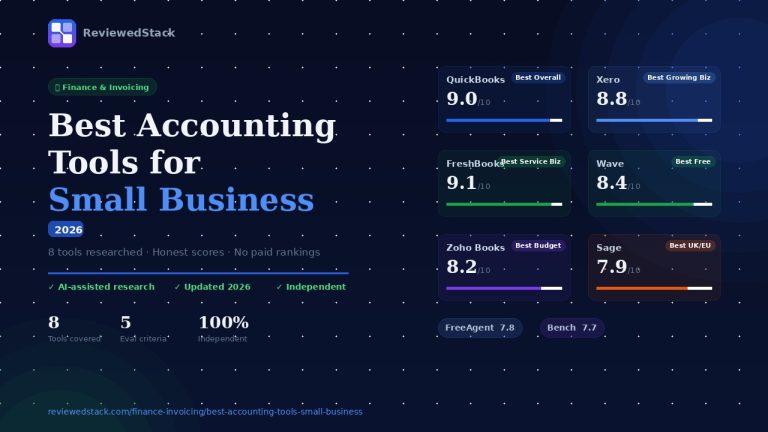
Payroll data should flow into your accounting automatically to reduce reconciliation. See our guide to the best accounting tools.
Payroll Software by Region – Quick Guide
Best Payroll for US Small Teams
→ Gusto (best overall)
→ QuickBooks Payroll (if using QB)
→ Wave Payroll (budget option)
Best Payroll for UK Small Teams
→ Xero Payroll (if using Xero)
→ ADP (compliance-heavy teams)
→ Gusto (note: Gusto is primarily US-focused and may not be available in the UK)
Best Payroll for Australian Teams
→ Xero Payroll (STP compliant)
→ ADP (larger teams)
Best Payroll for Canadian Teams
→ Wave Payroll (budget)
→ ADP (full compliance)
→ Rippling (all-in-one)
Our Verdict
Gusto is the best overall choice for most US small teams because it combines easy setup, reliable automated tax filing, and benefits administration in one platform. For specialty cases: Wave is the budget pick for US/Canada; Deel and Papaya Global are best when you need built-for-international payroll and hiring. Consider enterprise solutions like ADP or Papaya Global when your team crosses many jurisdictions or exceeds ~50 employees – the added compliance and support are worth it. If you’re also looking to keep your overall finance stack costs down, see our Best Finance Tools for Freelancers Under $50/Month guide for budget-friendly accounting and invoicing options that pair well with any payroll solution.
All ReviewedStack comparisons are editorially independent. Learn how we work →
FAQs
Q: What is the best payroll software for a small business in 2026?
A: For most US small businesses, Gusto is the best overall. For international teams, Deel or Papaya Global are better. For UK/AU small businesses on Xero, Xero Payroll is a natural fit.
Q: How much does payroll software cost for a small team?
A: Typical pricing is a base monthly fee plus a per-employee charge. Expect anything from low-$20s/month + per-user fees for budget options to $40+ base or custom pricing for enterprise offerings. Verify pricing on vendor sites.
Q: Can I run payroll for free?
A: Fully free, full-service payroll is rare. Some accounting tools offer free accounting tiers but charge for payroll. You may run manual payroll without software, but that increases risk and administrative time.
Q: What payroll software is best for a team of 5?
A: Gusto, QuickBooks Payroll (if on QuickBooks), Rippling, or Wave (if on a tight budget in the US/Canada) are common choices for teams of five.
Q: Does QuickBooks include payroll?
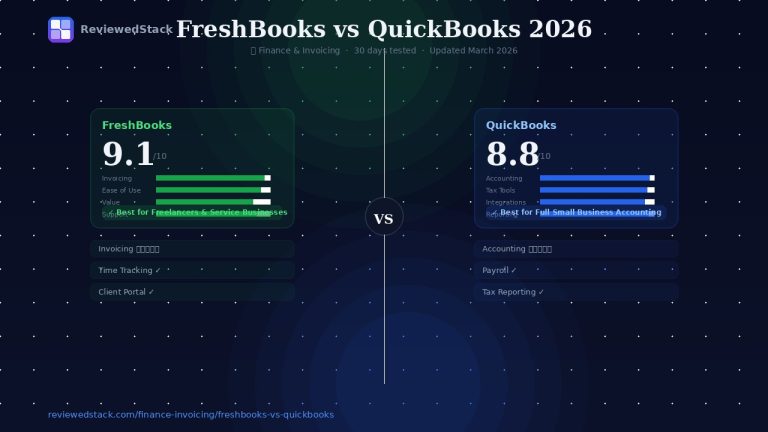
A: QuickBooks offers payroll as an add-on to its accounting product. It’s bundled and priced separately – check QuickBooks Payroll for current plans. See our FreshBooks vs QuickBooks comparison.
Q: What is the best payroll software for UK small businesses?
A: Xero Payroll (for Xero customers) and ADP (for compliance-heavy teams) are solid choices. Note that some US-focused vendors may not fully support the UK.
Q: What is the difference between payroll software and HR software?
A: Payroll software focuses on calculating pay, taxes, and payments. HR software includes broader employee lifecycle features (recruiting, performance, time off, benefits administration). Many platforms now combine both.

Former engineering leader at HARMAN International, where he acted as business architect in SAP ME and Siemens Teamcenter PLM implementations. Built ERP and process automation applications in .NET. Holds a degree in Business Information Management. Reviews SaaS tools from the perspective of someone who has evaluated, implemented, and lived with enterprise software at scale.
LinkedIn Profile