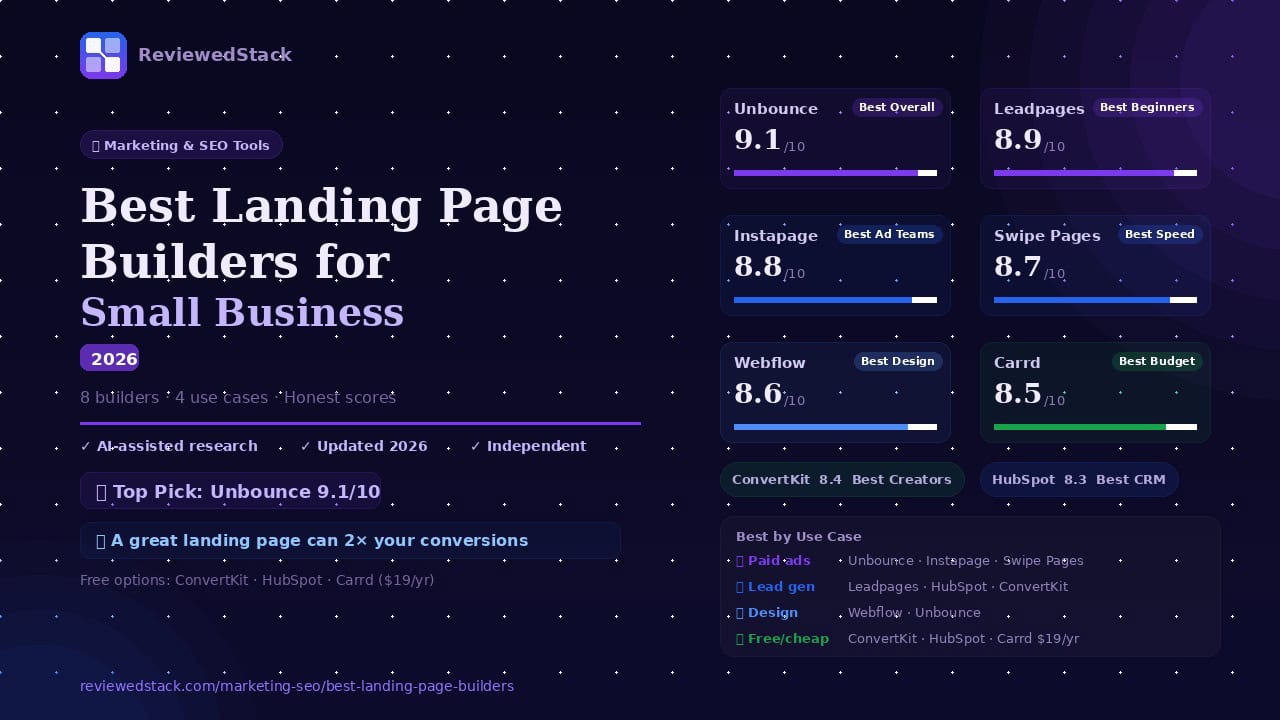
Best Landing Page Builders for Small Business in 2026
📅 Last Updated: April 2026 ⏱ 18 min read
A well-built landing page can double your conversion rate – but the wrong builder wastes hours and leaves money on the table. The right tool depends on your use case, technical skill, and budget. This article reviews the 8 best landing page builders for small businesses in 2026. Methodology: we evaluate each product using our 5-point review methodology.
Table of Contents
Quick Comparison Table
| Tool | Best For | Free Plan | Starting Price | Score |
|---|---|---|---|---|
| Unbounce | Best Overall | ❌ | $29/mo | 9.1/10 |
| Leadpages | Best for Beginners | ❌ | $49/mo | 8.9/10 |
| Instapage | Best for Ad Teams | ❌ | $99/mo | 8.8/10 |
| Swipe Pages | Best for Speed | ❌ | $39/mo | 8.7/10 |
| Carrd | Best Budget/Simple | ✅ | $19/yr | 8.5/10 |
| ConvertKit | Best for Creators | ✅ | $39/mo | 8.4/10 |
| Webflow | Best for Custom Design | ✅ limited | $18/mo | 8.6/10 |
| HubSpot | Best CRM Integration | ✅ | $20/mo | 8.3/10 |
Note: Pricing verified April 2026. Always check vendor site for current rates.
The Best Landing Page Builders
1. Unbounce – Best Overall
What it is
- A conversion-first landing page platform focused on paid campaigns and AI optimisation.
Key features
- Drag-and-drop builder with 100+ templates
- AI Smart Builder – generates landing pages from a prompt
- Smart Traffic – AI-driven A/B testing that routes visitors to best-converting variant
- Popups and sticky bars
- Integrations with major CRMs, email tools, and ad platforms
Free plan: none – 14-day trial
Pricing: $29/mo – Starter Plan (Save 25% with yearly billing)
Pros
- Industry-leading AI routing (Smart Traffic)
- Highly flexible templates and targeting rules
- Strong integrations for ad-driven funnels
Cons
- Higher starting price than most tools
- Some advanced features have a learning curve
Evaluation
Unbounce earns top marks for blending ease of use with advanced conversion tooling and an ad-focused feature set that scales as your campaigns grow. Its Smart Traffic routing and AI Smart Builder reduce manual experimentation, so teams can get wins faster without hiring conversion experts. The platform’s targeting and rule engine make it simple to tailor experiences by source, device, or audience segment. Reporting and integrations are mature, so you can tie page performance back to ad spend and revenue. Support and templates are solid, but complex workflows can require time to learn and set up correctly. For small teams, the initial ramp-up is worth the payoff in conversion uplift once Smart Traffic and A/B testing are in place. Expect to spend some time up front structuring pages and rules to get the full automation benefit.
- Real-world use case: A local e‑commerce boutique runs Facebook ads for a weekend sale and uses Unbounce to spin up variant pages, letting Smart Traffic route visitors to the best-performing version overnight.
- Standout feature in action: Smart Traffic automatically shifts more traffic to a variant that converts 20% better for mobile visitors, without manual A/B test scheduling.
- Limitation in workflow: The rule-based targeting and multi-variant setups can be intimidating; building complex funnels often requires a checklist and testing plan to avoid misrouting leads.
2. Leadpages – Best for Beginners
What it is
- A user-friendly landing page builder that helps non-designers create conversion-ready pages fast.
Key features
- Drag-and-drop builder with large template library
- Real-time conversion guidance while you build
- Built-in forms and popups
- Integrations with email and CRM tools
- Easy publishing and domain management
Free plan: none – free trial available
Pricing: $49/mo – Grow Plan (Save 20% with annual billing – coming soon)
Pros
- Very low barrier to first page
- Helpful on-screen conversion tips
- Excellent template selection for quick launches
Cons
- Less granular control than advanced builders
- Fewer enterprise features for large ad programs
Evaluation
Leadpages is built to remove friction – you can have a conversion-ready page without design or developer help. The editor’s conversion tips and template-focused approach speed decision-making and reduce design second-guessing. Integrations cover the essentials, so publishing with a custom domain and connecting email capture is straightforward. For non-technical owners, it dramatically shortens time-to-first-lead compared with general web platforms. However, power users will notice limits around granular styling and advanced personalization. When you need complex multi-step funnels, conditional logic, or deep ad personalisation, Leadpages’ simplicity becomes a constraint. It’s ideal when speed and simplicity outweigh the need for bespoke design or heavy automation.
- Real-world use case: A local gym uses Leadpages to build a class sign-up page in 20 minutes without a designer, linking registrations directly into its email CRM.
- Standout feature in action: In-editor conversion guidance flags weak headlines and suggests tested alternatives as you edit.
- Limitation in workflow: Less granular control means you may need another tool for multi-step checkout flows or advanced conditional logic.
3. Instapage – Best for Ad Teams and Personalisation
What it is
- A premium platform focused on ad-to-page personalisation and collaboration for PPC teams.
Key features
- AdMap feature – connects ads to matching landing pages visually
- Dynamic Text Replacement for PPC personalisation
- Collaboration tools and workflow controls
- Heatmaps and analytics for page optimisation
- High-quality templates and page speed optimisations
Free plan: none – free trial available
Pricing: $99/mo – Create Plan (Save up to 20% with yearly billing)
Pros
- Best-in-class ad-to-page personalisation
- Strong collaboration and workflow features
- Detailed analytics and heatmaps
Cons
- Most expensive option on the list
- Overkill unless you have significant PPC spend
Evaluation
Instapage is purpose-built for teams that need tight outcomes from paid ads, with collaboration and ad-to-page alignment at its core. AdMap and Dynamic Text Replacement let you maintain relevance between ad creative and landing page instantly, which improves Quality Score and conversion rates. Collaboration features (comments, version history, permissions) streamline handoffs between PPC managers and designers. Heatmaps and rich analytics help you iterate faster on problems found in actual user sessions. The platform’s premium positioning means it’s the costliest on this list, which can be hard to justify without significant ad spend. Smaller advertisers may not unlock its ROI unless they’re running many campaigns and personalisation variants regularly.
- Real-world use case: A boutique travel agency maps 50 ad variants to matching landing pages with Dynamic Text Replacement so each ad shows the exact destination and package price the user clicked.
- Standout feature in action: AdMap visually links every ad to its landing page and highlights gaps where personalisation could improve relevance.
- Limitation in workflow: For low-volume advertisers the license cost and per-page complexity can outweigh conversion gains.
4. Webflow – Best for Custom Design
What it is
- A visual web design platform with full design control and CMS capabilities – not a traditional single-purpose landing page builder.
Key features
- Pixel-accurate visual design (no code required)
- Built-in CMS and SEO controls
- Responsive design controls and interactions
- Export code or host on Webflow
- Site-wide design system support
Free plan: limited (2 pages)
Pricing: $18/mo – Basic Plan (Save up to 33% with yearly billing)
Pros
- Unmatched design freedom without coding
- Full CMS for content-driven landing pages
- Clean, exportable code if needed
Cons
- Steeper learning curve for non-designers
- More setup required for simple one-off pages
Evaluation
Webflow gives you pixel-level control and a full CMS without forcing you to code, which appeals to teams that value bespoke design and brand fidelity. Its responsive controls, interactions, and exportable clean code enable professional-grade pages and long-term maintainability. A Webflow-built landing page can later be extended into a full site or blog using the built-in CMS – useful when campaigns graduate to owned content. The trade-off is a steeper learning curve than template-first builders; non-designers need time to become productive. Integrations are improving but sometimes require middleware (Zapier/Make) for complex stacks. If you want a unique, reusable design system and are willing to invest in setup, Webflow delivers design freedom and scalable content management.
- Real-world use case: A boutique architecture firm uses Webflow to create a highly branded landing page that matches their portfolio site, then extends it into case-study pages with the CMS.
- Standout feature in action: Pixel-accurate interactions let the designer create scroll-triggered hero animations that increase engagement without custom code.
- Limitation in workflow: Designers new to Webflow should budget time for learning; initial page builds are slower than drag-and-drop template editors.
5. Swipe Pages – Best for Speed and Mobile
What it is
- A landing page builder optimised for speed, mobile-first experiences, and Google Ads performance.
Key features
- AMP page support for ultra-fast mobile load times
- Google Ads-optimised templates
- Drag-and-drop editor with mobile-first templates
- Form and CRM integrations
- Fast hosting and performance monitoring
Free plan: none – free trial available
Pricing: $39/mo – Startup Plan (Save 25% with yearly billing)
Pros
- Extremely fast-loading pages (mobile-first)
- Great for Google Ads and Facebook Ads performance
- Simple editor focused on conversions
Cons
- Fewer advanced personalisation features
- Template library smaller than larger competitors
Evaluation
Swipe Pages focuses on speed and mobile-first performance, which directly impacts ad effectiveness and Google Ads Quality Score. AMP support and lightweight templates mean pages commonly load in under a second on mobile, reducing drop-off from slow connections. The editor emphasizes conversion blocks and forms rather than deep styling options, which keeps builds concentrated on results. Integrations for forms and CRM cover common use cases, and hosting is tuned for performance monitoring. The limited library and fewer advanced personalisation options make it less flexible for complex funnels or highly branded pages. For campaigns where speed and mobile UX are the priority, Swipe Pages is an excellent, focused choice.
- Real-world use case: A local restaurant launches a mobile-only coupon campaign in Swipe Pages and captures reservations via a fast-loading mobile form tied to their booking CRM.
- Standout feature in action: AMP page deployment cuts mobile load time by half versus the store’s previous landing pages, improving conversion rate for ad traffic.
- Limitation in workflow: When a campaign needs deep personalization or custom scripts, Swipe Pages’ lightweight approach can be restrictive and require fallback hosting.
6. Carrd – Best Budget Option
What it is
- An ultra-affordable builder for simple, single-page sites and one-pagers.
Key features
- Extremely low-cost single-page hosting
- Simple drag-and-drop-ish editor for one-pagers
- Form integration and Stripe support (paid plans)
- Lightweight templates for personal sites and lead capture
- Custom domains on paid plans
Free plan: available (limited)
Pricing: $19/year
Pros
- Unbeatable price (single pages from $19/year)
- Fast to launch one-page sites
- Simple and minimal interface
Cons
- Not suited for complex funnels or A/B testing
- Limited integrations compared with full builders
Evaluation
Carrd is the go-to for simple, single-page needs at an exceptionally low price point, and it’s fast to learn and launch. For one-pagers and link-in-bio style pages, you can go from idea to live in under an hour. Paid plans add custom domains, Stripe payments, and basic form integrations, which are enough for many solo founders. The UX is intentionally minimal, which keeps the interface accessible but limits advanced conversion tooling like A/B testing, complex integrations, or multi-page funnels. If your needs remain a single, evergreen landing page or artist portfolio, Carrd is cost-effective and reliable. But expect to migrate to a more feature-rich platform if your lead volume or funnel complexity grows.
- Real-world use case: A freelance photographer uses Carrd to host a simple booking page linked from social media with Stripe deposits enabled.
- Standout feature in action: A paid Carrd plan connects Stripe for a deposit payment workflow without a separate checkout system.
- Limitation in workflow: No native A/B testing or advanced analytics – you’ll need external tools for optimization as scale increases.
7. ConvertKit – Best for Creator Landing Pages
What it is
- An email-first platform that includes landing pages designed to grow an email list.
Key features
- Unlimited landing pages and forms on free plan
- Simple templates optimised for list-building
- Native email automation and tagging
- Integrations with creator tools and commerce platforms
- Subscriber management and deliverability focus
Free plan: yes – unlimited pages
Pricing: $39/mo – Creator Plan (2 months free with yearly billing)
Pros
- Free plan supports unlimited pages and forms
- Tight integration between pages and email workflows
- Simple, creator-focused templates
Cons
- Page design options are basic compared with page builders
- Not focused on advanced A/B testing or PPC features
Evaluation
ConvertKit centers landing pages around email growth and automation, making it a clean fit for creators whose primary KPI is subscriber acquisition. Unlimited pages on the free plan let creators experiment with multiple opt-ins and lead magnets without cost pressure. Built-in email sequences and tagging tie captured leads directly into nurture automations, reducing the work needed to convert subscribers. Page design options are intentionally simple, focusing on clarity over complex layouts, which improves conversion for many creators but limits brand control. There’s minimal A/B testing and PPC-centric features, so it’s not ideal for heavy ad-driven experiments. For creators prioritizing list growth and easy funnels into sellable products or newsletters, ConvertKit reduces friction.
- Real-world use case: A newsletter writer launches three different lead magnets with separate ConvertKit pages and funnels subscribers into an automated welcome email sequence.
- Standout feature in action: A new subscriber is auto-tagged and placed into a tailored email sequence immediately, increasing early engagement without extra setup.
- Limitation in workflow: If you rely heavily on paid ads and need dynamic text replacement or advanced testing, ConvertKit’s page builder will feel too limited.
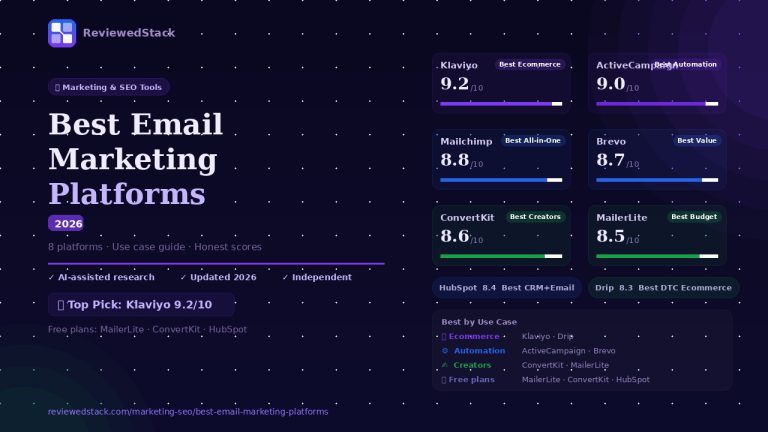
📖 Best Email Marketing Platforms guide →
8. HubSpot – Best CRM-Connected Landing Pages
What it is
- A marketing platform with landing pages tightly integrated into HubSpot CRM and marketing hub.
Key features
- Landing pages that feed leads directly into HubSpot CRM
- Built-in forms, workflows, and contact segmentation
- Personalisation tokens and smart content
- Analytics tied to contacts, deals, and pipeline
- Free tier includes HubSpot CRM and pages
Free plan: yes with HubSpot CRM
Pricing: $20/mo – Starter Plan (Save 25% with yearly billing)
Pros
- Seamless CRM integration and contact-level analytics
- Smart content and personalisation tied to contact data
- Strong automation and sales handoff features
Cons
- Full value realized only inside HubSpot ecosystem
- Can become expensive as contacts and features scale
Evaluation
HubSpot’s landing pages shine when used as part of its broader CRM and automation ecosystem; contact-level tracking turns form submissions into actionable sales tasks immediately. Smart content and personalisation tokens let you show different messages based on contact history or lifecycle stage, improving relevance and conversion. Built-in workflows enable immediate follow-up emails, lead scoring, and sales notifications without additional integrations. However, the landing pages are most valuable when your marketing and sales processes already run through HubSpot – outside that ecosystem the ROI is reduced. Cost can escalate with contact volume and paid marketing add-ons, so plan for growth-related pricing. For businesses aiming for tight marketing-to-sales handoff, HubSpot provides a single source of truth that simplifies attribution and follow-up.
- Real-world use case: A B2B consultancy uses HubSpot landing pages to capture demo requests that automatically create contact records, assign owners, and trigger follow-up cadences.
- Standout feature in action: A landing page form submission immediately creates a contact with lifecycle stage and triggers a task for the assigned sales rep.
- Limitation in workflow: If your team doesn’t use HubSpot for CRM, the full benefits of smart content and contact-level analytics are hard to realize.
📖 Mailchimp vs HubSpot comparison →
What to Look for in a Landing Page Builder
Conversion Optimisation Features
Look for native A/B testing, traffic-splitting tools, and behavioural analytics like heatmaps and session recordings. Check whether the platform automates routing (e.g., Smart Traffic) or requires manual test setup, and whether tests are easy to interpret in your reporting. Verify the cadence and visibility of results – can you run multivariate tests, and does the platform attribute conversions back to campaigns and sources? Practical check: run a small experiment on a trial page to confirm the testing workflow and reporting match your team’s decision process.
Template Quality and Quantity
Evaluate whether templates are industry-specific and conversion-optimised rather than generic marketing pages. Confirm templates are responsive and include built-in conversion blocks (CTAs, social proof, lead magnets). Count templates relevant to your niche and compare how easy they are to customise – a large library doesn’t help if none fit your brand. Practical check: preview a few templates on different devices and try swapping headline and hero elements to see how flexible the layout is.
Page Speed and Performance
Load time directly affects conversions and ad Quality Score, so prioritise platforms that measure and optimise hosting/CDN performance. Look for AMP support, lightweight code output, image optimisation, and built-in performance monitoring. Check historical uptime and whether the vendor gives you control over caching and CDN settings. Practical check: publish a test page and run it through PageSpeed Insights and mobile network throttling to compare real-world load times.
Integrations
Ensure the builder connects natively to your primary email provider, CRM, analytics, and ad platforms to avoid fragile workarounds. Check for webhook support, Zapier/Make compatibility, and server-side form handling for reliability. Confirm mapping of form fields to CRM fields and whether UTM and attribution data persist across redirects. Practical check: run a test submission to confirm the contact appears in your CRM with source data intact and any automation triggers correctly.
Ease of Use
Determine the skill level required to publish a page: is it template-driven, WYSIWYG drag-and-drop, or does it require CSS/HTML knowledge? Evaluate how long it takes for a non-technical team member to build and publish a page, and whether in-app guidance or templates speed adoption. Also check support channels and available learning resources (documentation, templates, community). Practical check: time a first-page build with a colleague who isn’t a designer to see realistic onboarding needs.
Pricing Model
Compare pricing not only on sticker price but on how it scales with visitors, published pages, or contacts. Watch out for per-contact fees, overage charges, or limits on conversions that can make a seemingly cheap plan expensive at scale. Consider total cost to migrate (design, analytics, tracking) and whether free tiers are sufficient for experimentation. Practical check: model your expected monthly visitors, leads, and contact growth over 12 months to estimate real costs on each vendor’s pricing tiers.
Landing Page Builders by Use Case
Best for Paid Ad Campaigns
- Unbounce (Smart Traffic)
- Instapage (ad personalisation)
- Swipe Pages (speed + mobile)
Best for Lead Generation
- Leadpages (beginner-friendly)
- HubSpot (CRM integration)
- ConvertKit (email list building)
Best for Design Control
- Webflow (full design freedom)
- Unbounce (flexible builder)
Best Free Plans
- ConvertKit (unlimited pages free)
- HubSpot (free with CRM)
- Carrd ($19/year – near-free)
- Webflow (2 pages free)
Our Verdict
Unbounce is our overall pick for small businesses that want the best conversion tools: Smart Traffic, AI Smart Builder, and robust integrations make it the top choice for ad-driven funnels. For specific needs: Leadpages is ideal for beginners and fast launches; Instapage for serious PPC teams needing ad-to-page personalisation; Carrd for budget-conscious one-pagers; ConvertKit for creators focused on email growth. Start with a free plan (ConvertKit or HubSpot) to validate your page concept, then upgrade to Unbounce or Leadpages when you’re ready to scale and optimise.
See more: Marketing & SEO Tools reviews
All ReviewedStack comparisons are editorially independent. Learn how we work →
FAQs
Q: What is the best landing page builder for small business in 2026?
A: For most small businesses running paid campaigns, Unbounce is best overall for conversion optimisation. For beginners, use Leadpages; for creators, ConvertKit; for budget one-pagers, Carrd.
Q: Is Unbounce worth the price for a small business?
A: Yes if you run paid ads and need AI-driven optimisation (Smart Traffic) and frequent A/B tests. If you only need a simple one-off page, cheaper options may suffice.
Q: What is the best free landing page builder?
A: ConvertKit and HubSpot offer useful free tiers for landing pages. Carrd’s low-cost paid plan ($19/year) is the cheapest near-free option.
Q: Which landing page builder is best for Google Ads?
A: Swipe Pages for speed and AMP, Unbounce and Instapage for conversion tools and ad personalisation. For SEO tools that complement your Google Ads work,
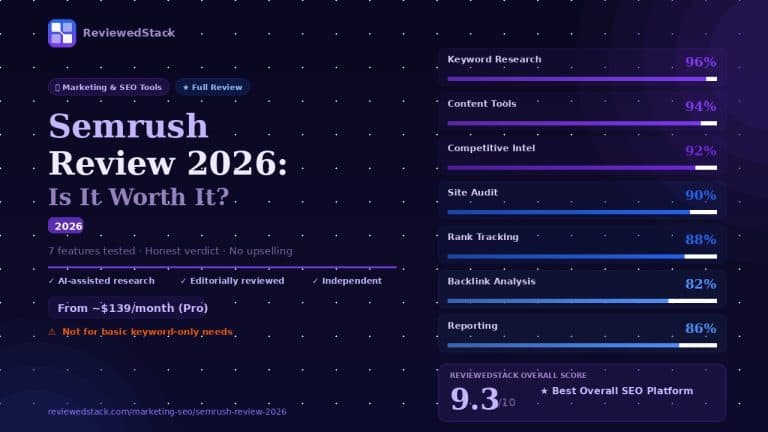
see our Semrush review.
Q: Do I need a landing page builder if I have a website?
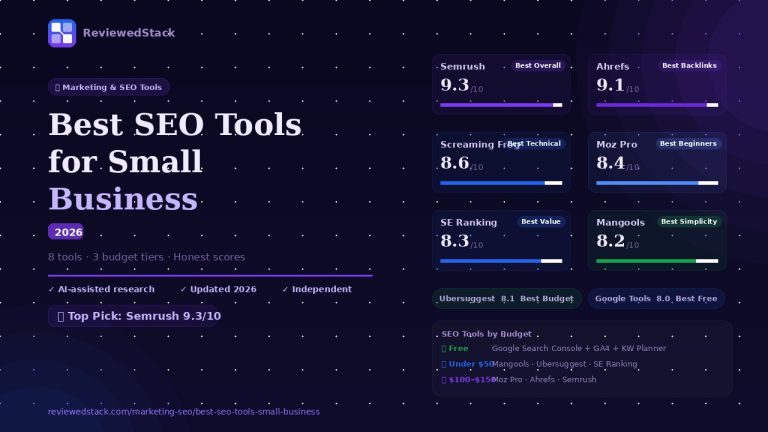
A: Not always. Dedicated builders simplify campaign-specific pages, tracking, and testing. If your website supports fast publishing, A/B testing, and integrations, you may not need a separate tool. For organic traffic tools that work alongside landing pages, see our Best SEO Tools for Small Business guide.
Q: What is the easiest landing page builder for beginners?
A: Leadpages – its templates and in-editor conversion guidance make it the fastest to learn.
Q: Is Webflow a landing page builder?
A: Webflow is a full web design platform with CMS features. It can build landing pages, but it’s better described as a visual site and CMS tool rather than a single-purpose landing page builder.

Former engineering leader at HARMAN International, where he acted as business architect in SAP ME and Siemens Teamcenter PLM implementations. Built ERP and process automation applications in .NET. Holds a degree in Business Information Management. Reviews SaaS tools from the perspective of someone who has evaluated, implemented, and lived with enterprise software at scale.
LinkedIn Profile